
 Need help?
Do you have a question about the Member's Mark PBB-300S and is the answer not in the manual?
Explains how the device connects wirelessly via Bluetooth to other devices like phones or PCs.
Audio performance and sound quality depend on distance and potential obstacles from the speaker.
Keep product away from children, chemicals, and high heat; it is not a toy.
Use adaptor only for charging, avoid wet/outdoor conditions, and keep away from children.
Keep the remote control away from water, liquids, and heat.
Allows wireless connection to your music source via Bluetooth technology.
Offers a choice of 7 LED colors and lights that flash to the rhythm of the music.
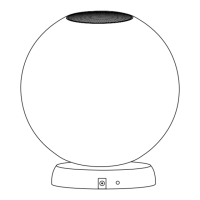
The unit is waterproof and designed to float on water, ideal for pools.
Features a wireless rechargeable lithium battery with a charging base.
Details adaptor input/output, LED count, battery specs, charging, and working times.
Specifies Bluetooth range (30 ft) and the default pairing password (0000).
Step-by-step guide for placing the ball on the charging base and connecting the adaptor.
Explains the indicator light colors for proper connection and full charge.
Instructions on how to power the LED floating pool ball on and off using the bottom button.
Information regarding the metal hanger ring for suspending the unit.
Guide to activate Bluetooth on your device and connect to 'Speakerlighting'.
Instructions to remove the plastic sheet from the battery cover before use.
Controls for turning the light on/off and activating music sync flashing.
Adjust brightness, speed, cycle colors, and control white warmth.
Controls for toggling Bluetooth, selecting previous/next music tracks.
Functions for pausing/playing music and increasing/decreasing volume.
How to activate the timer and associated light colors for different durations.
Instructions for replacing the remote control battery, including polarity.
Recommendations for cleaning the unit with a dry cloth and storing safely.
Solutions for devices not connecting, including distance and interference.
Troubleshooting steps for when the device is connected but no sound is produced.
Solutions for a non-responsive remote control, such as checking battery or plastic sheet.
Details FCC rules compliance for digital devices and potential interference mitigation.
Information on FCC RF radiation exposure limits and recommended installation distance.
 General
| Brand | Member's Mark |
|---|---|
| Model | PBB-300S |
| Category | Speakers |
| Connectivity | Bluetooth |
| Power Source | Battery |

 To Next Page