3seconds.
Low battery(less than 30%) : LED is off.1.
Middle battery(30% ~ 60%) : Green LED blinks2.
High battery(60%~100%) : Green LED is lit up.3.
Turning off power
*In case of recording, when you move recording switch to the state of stop, power is turned
off.
*In case of playback, when you press the stop (■) button of remote controller or separate
the plug of remote controller, power is turned off.
*To take custody of product for a long time, please be sure to take custody after separating
remote controller.
Recording
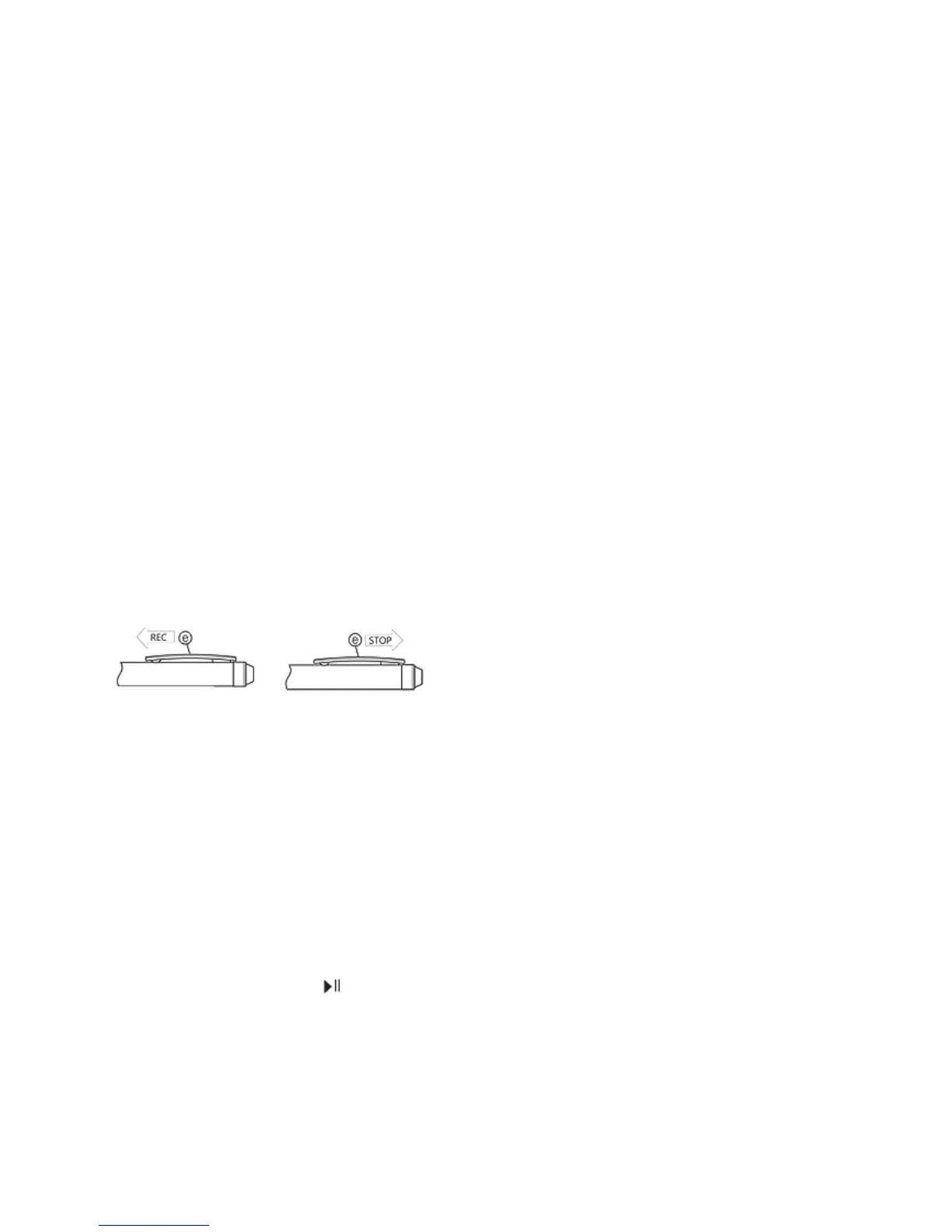
*When you move recording switch(ⓔ) to recording place, recording will start in about 3
seconds.
*During recording, you can monitor it with earphone and check recording status.
*In case of no remaining battery or 99 files, beep tone is rung through earphone for 5
seconds and recording is not possible any more.
*When you remove files, recording is possible again.
Stop recording
When you move recording switch(ⓔ) to stop place, recording stops and power is turned off
after a while.
(Note) In case of the continuous recording more than 5 hours, this product can separate and
save the recording files by the 5 hours for more convenient hearing and file management.
Playback
* Please connect remote controller into the earphone jack of body and adjust volume to the
maximum.
* When you press the play ( ) button of remote controller, playback starts.
* When you press the play button again, it pauses.
* When you press the stop (■) button, playback stops.
* During recording, remote controller does not work. (Caution) After recording is
completed, the operation of button is not possible for 3seconds.


 To Next Page