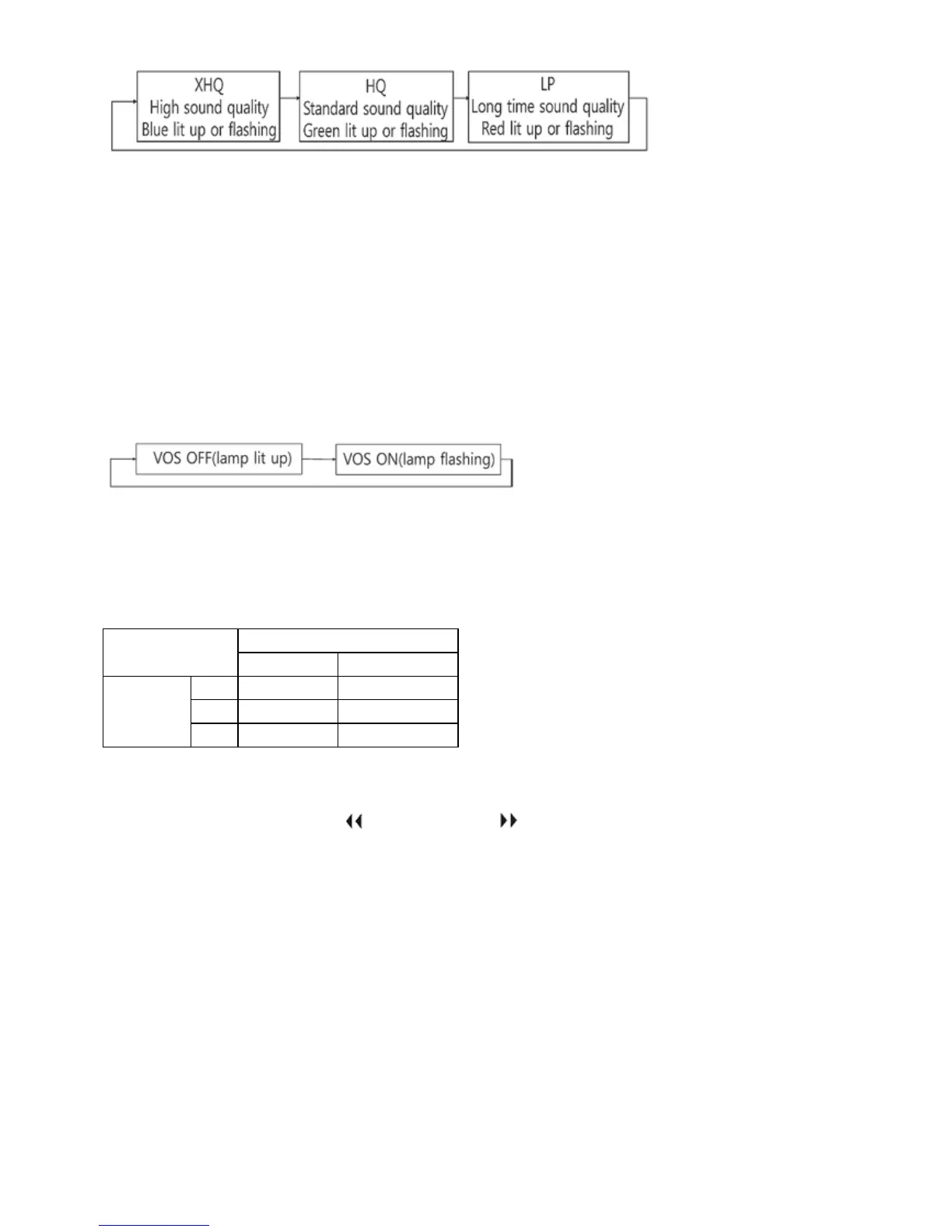
When you press menu(M) button long more than 3 seconds after change, setting is
completed.
VOS(Voice operated recording) setting
VOS function is that recorder detects sound in recording and when sound is not heard in
recording, recording is paused automatically and when sound is heard, recording starts
automatically and enables you to use memory efficiently. When you press menu(M) button
long more than 3 seconds in the state of stop, LED is lit up or flashing. At this time,
whenever you press stop (■) button shortly, it is changed as below.
*In case of using VOS function, battery life time is not increased.
*Default in shipping products is XHQ, VOS OFF.
LED check table per recording mode and VOS mode
VOS
OFF ON
Recording
mode
XHQ Blue lit up Blue lit up
HQ Green lit up Green flashing
LP Red lit up Red flashing
Playback of first recording file/last recording file
When you press the previous ( ) button or next ( ) button more than 3 seconds during
playback, the first recording file or the last recording file is played back.
Deleting file by remote controller
*When you press stop (■) button more than 3 seconds in the state of stop, beep sound
comes out and recorded contents are played back to confirm before deletion
*If the contents you want to delete are correct, please press stop (■) button again shortly
and delete the file(at this time, beep tone comes out again for 2 seconds).
*If the contents you want to delete are wrong, please cancel it by pressing other button.
Transmitting file into PC
(Caution) Before connecting it into PC USB to transfer files, please check whether the
recording switch is in the position of stop.


 To Next Page