6
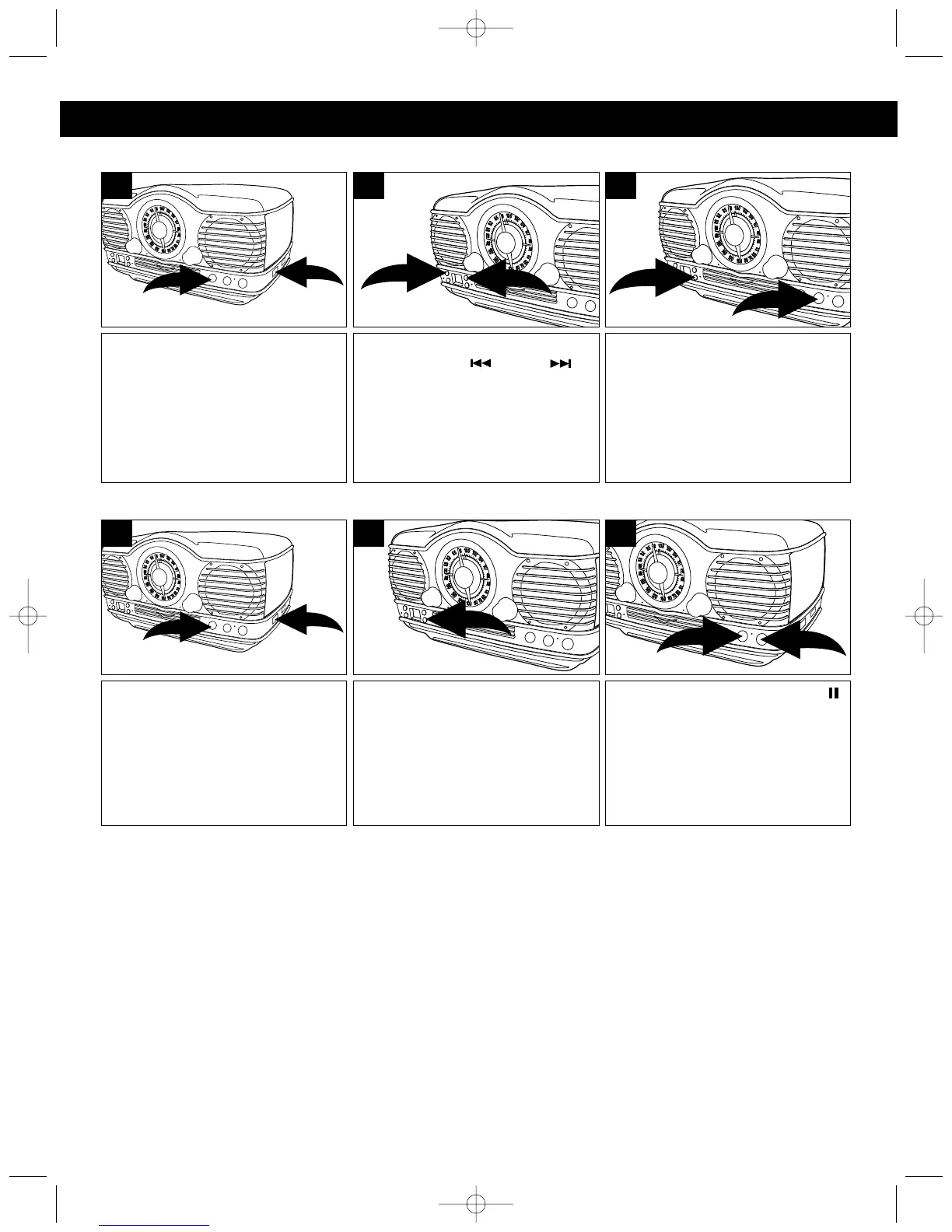
TO REPEATEDLY PLAY BACK ONE TRACK
TO REPEATEDLY PLAY BACK ALL TRACKS
Slide the FUNCTION switch ❶ to
the CD position and press the CD
Open/Close button ❷. Place a CD
on the center spindle, with the
printed label side facing up. Press
the CD Open/Close button ❷ again
to close the CD compartment door.
1
2
1
Press the RPT button ❶ once, the
Repeat indicator will blink and the
unit will play the selected track
over and over until the STOP (■)
button ❷ is pressed.
1
2
3
Select a track using the
SKIP/Search ❶ or ❷
button; the unit will automatically
play the track.
2
1
2
Slide the FUNCTION switch ❶ to
the CD position and press the CD
Open/Close button ❷. Place a CD
on the center spindle, with the
printed label side facing up. Press
the CD Open/Close button ❷ again
to close the CD compartment door.
1
2
1
Press the PLAY/PAUSE (/)
button ❶ to begin playback and
the unit will play the entire disc
over and over until the STOP (■)
button ❷ is pressed.
1
2
3
Press the RPT button twice, the
Repeat indicator will light.
2
NOTE:
To stop and cancel Repeat playback, press the STOP (■) button.
COMPACT DISC (CD) OPERATION (CONTINUED)
MTT3200 O/M.QXD 2/28/03 9:22 AM Page 6



 To Next Page