3
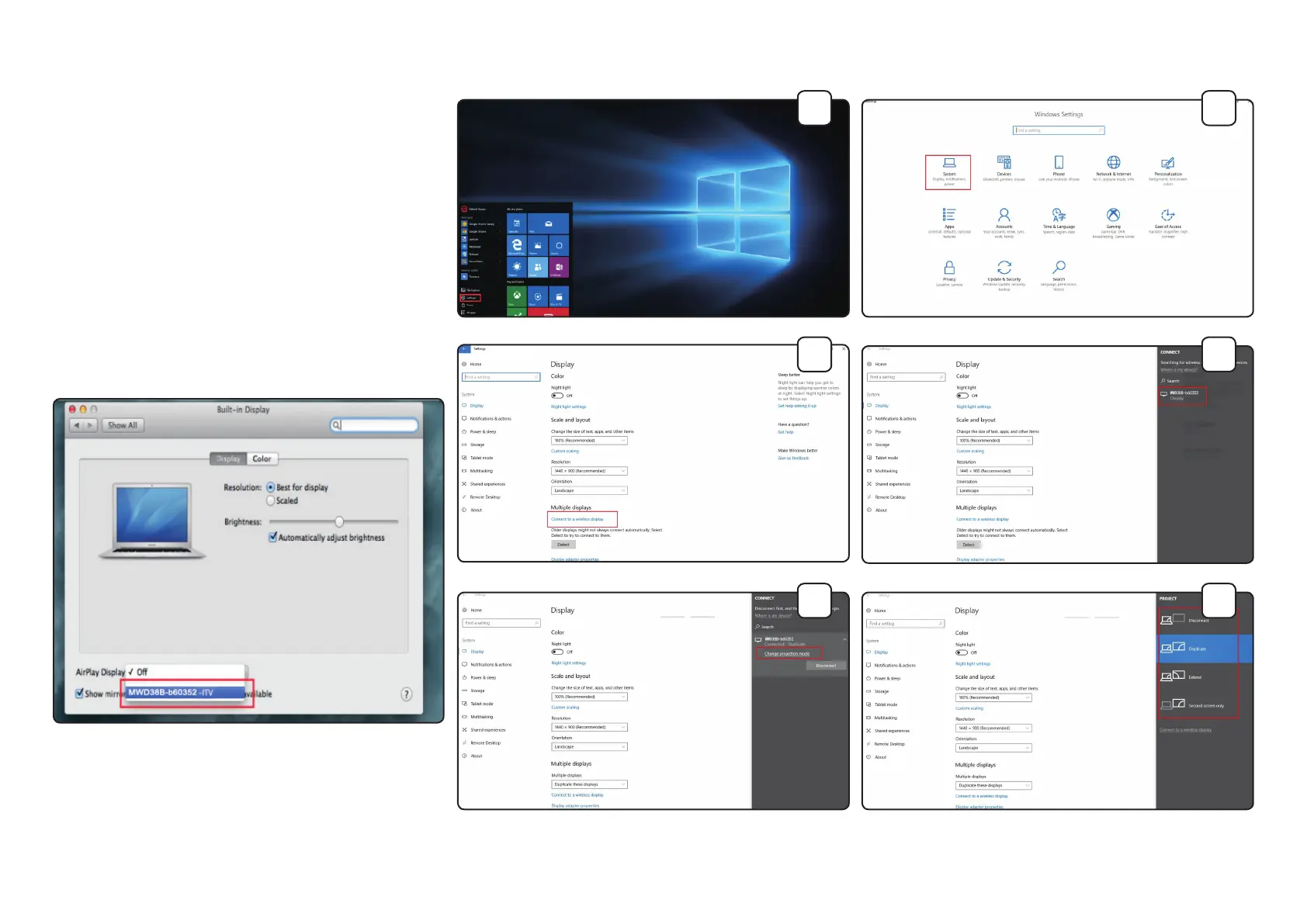
Connecting Steps - Apple Mac OS
1. Open "System Settings."
2. Open "Displays" and select "MWD38B-xxxxx" from the AirPlay
Display drop down menu.
Connecting Steps - Windows 10
1. From the Start Menu, open "Settings."
2. Open "System."
3. Under "Multiple Displays," click "Connect to a wireless display."
4. Choose "MWD38B-xxxxx" from the menu on the right of the screen.
5. Once selected, click "Change Projection Mode."
6. Choose "Duplicate" from the options.
Note: If the Streaming Device cannot be selected or it won't play
correctly, it may be connected to another mobile device already.
Disable AirPlay and/or Smart View/Miracast on previously connected
devices and try again.
1
3
5
2
4
6


 To Next Page