Need help?
Do you have a question about the Memorex TravelDrive Travel Drive and is the answer not in the manual?
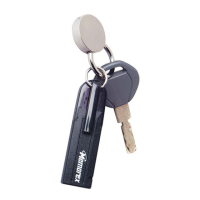
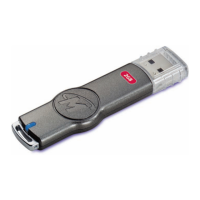
Loop for attaching a lanyard to the drive.
Indicates power and activity status of the drive.
Label indicating the storage capacity of the drive.
The physical interface for connecting to a USB port.
Cap that protects the USB connector when not in use.
Instructions for connecting and removing the drive on Windows.
Instructions for connecting and removing the drive on Mac OS.
Details on LED indicator and lanyard carrying cable.
Troubleshooting steps for when the power and activity LED does not illuminate.
Addresses issues where the drive shows no files despite being full.
Resolves problems transferring files between Mac and PC.
Explains factors affecting transfer speeds, like USB version.
Guide to assign a drive letter when it's not detected by Windows.
Clarifies that the drive does not have a battery and uses USB power.
Information on protecting the drive from airport security and magnets.
Confirms compatibility with USB 1.1 connections.
Advice on potential damage from dropping the drive and backing up files.
Recommends leaving a safety margin for reliability when filling capacity.
Addresses issues from removing drive during data transfer; suggests reformatting.
Explains drive mechanics and suggests reformatting for performance issues.
 General
| Interface | USB 2.0 |
|---|---|
| Capacity | 1GB, 2GB, 4GB, 8GB, 16GB |
| Connector Type | USB Type-A |
| Operating System Compatibility | Windows, Mac OS X, Linux |
| Dimensions | Varies by model, typically around 2.75" x 0.75" x 0.4" (70mm x 19mm x 10mm) |

 To Next Page