EasyManua.ls Logo

Memphis MXASB20V2 - Controls; Bluetooth Operation; Installation Instructions; Wiring Guide

Memphis MXASB20V2
6 pages
Print Icon
To Next Page IconTo Next Page
To Previous Page IconTo Previous Page
Loading...
CONTROLS
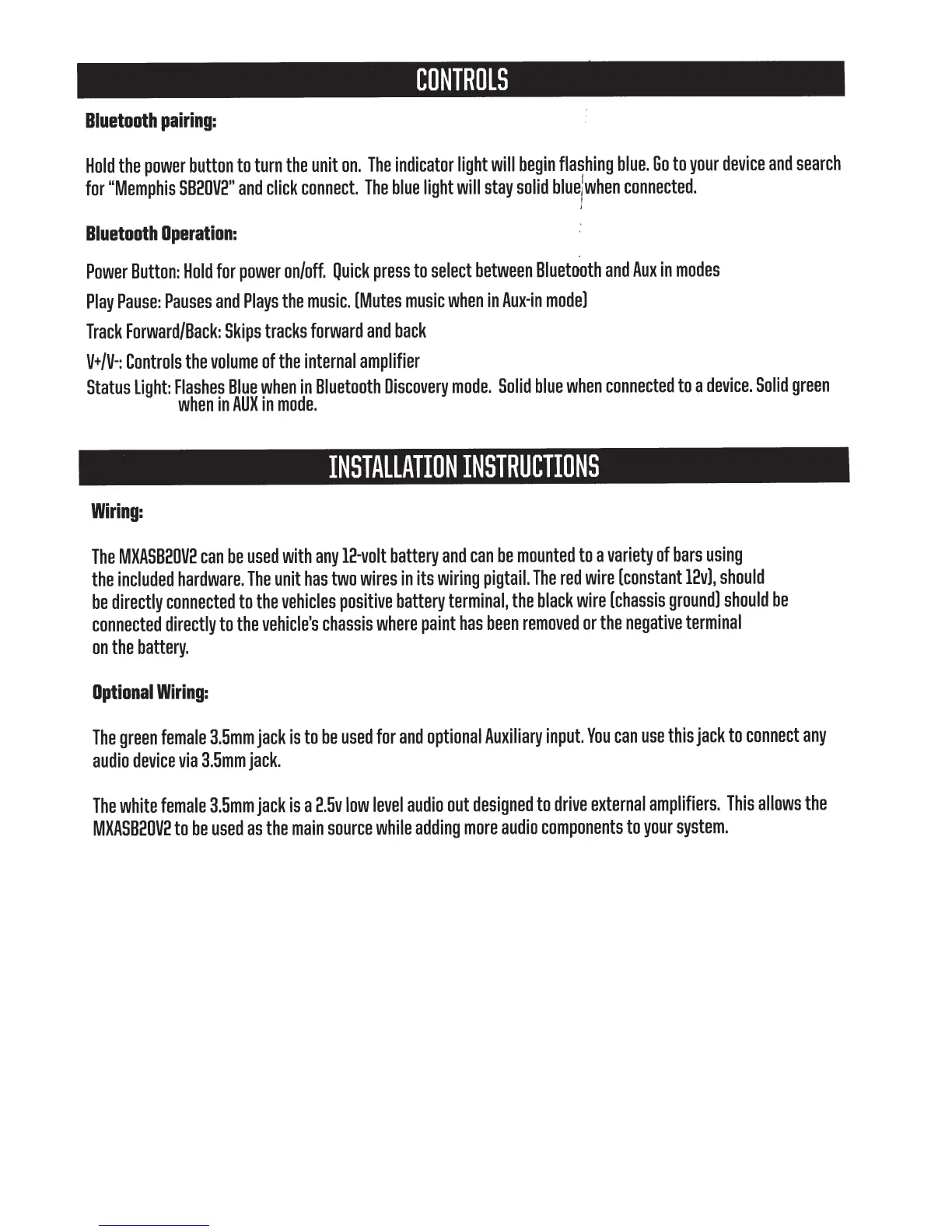
Bluetooth
pairing:
Hold
the
power
button
to
turn
the
unit
on.
The
indicator
light
will
begin
flashing
blue.
Go
to
your
device
and
search
for
"Memphis
SB2DV2"
and
click
connect.
The
blue
light
will
stay
solid
bluejwhen
connected.
Bluetooth
Operation:
Power
Button:
Hold
for
power
on/off.
Quick
press
to
select
between
Bluetooth
and
Auxin
modes
Play
Pause:
Pauses
and
Plays
the
music.
[Mutes
music
when
in
Aux-in
mode]
Track
Forward/Back:
Skips
tracks
forward
and
back
V+/V-:
Controls
the
volume
of
the
internal
amplifier
Status
light:
Flashes
Blue
when
in
Bluetooth
Discovery
mode.
Solid
blue
when
connected
to
a
device.
Solid
green
when
in
AUXin
mode.
INSTALLATION
INSTRUCTIONS
Wiring:
The
MXASB20V2
can
be
used
with
any
12-volt
battery
and
can
be
mounted
to
a
variety
of
bars
using
the
included
hardware.
The
unit
has
two
wires
in
its
wiring
pigtail.
The
red
wire
[constant
12v],
should
be
directly
connected
to
the
vehicles
positive
battery
terminal,
the
black
wire
[chassis
ground]
should
be
connected
directly
to
the
vehicle's
chassis
where
paint
has
been
removed
or
the
negative
terminal
on
the
battery.
Optional
Wiring:
The
green
female
3.5mm
jack
is
to
be
used
for
and
optional
Auxiliary
input.
You
can
use
this
jack
to
connect
any
audio
device
via
3.5mm
jack.
The
white
female
3.5mm
jack
is
a
2.5v
low
level
audio
out
designed
to
drive
external
amplifiers.
This
allows
the
MXASB20V2
to
be
used
as
the
main
source
while
adding
more
audio
components
to
your
system.

Related product manuals