EasyManua.ls Logo

Mennekes AMTRON Xtra E - User Manual

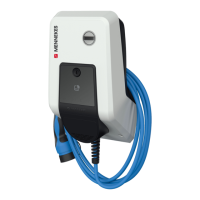
Mennekes AMTRON Xtra E
412 pages
Go to English
Print Icon
To Next Page IconTo Next Page
Loading...
AMTRON
®
Xtra (E/R), Premium (E/R/W)
Installationsanleitung
Installation manual
Installatiehandleiding
Guide d’installation
Istruzioni per l‘installazione
Installasjonsveiledning
Installationsanvisning
Manual de instalación
Installationsvejledning
Szerelési utasítás
Инструкция по монтажу
Asennusohje
ESPAÑOL
DANSK
NEDERLANDS
FRANÇAIS
ENGLISH
РУССКИЙ
DEUTSCH
SVENSKA
NORSK
MAGYAR
SUOMI
ITALIANO

Table of Contents

Questions and Answers

Summary

1. About this document

Service

Contact information and resources for technical support and inquiries.

Warning information

Explains different types of warning symbols and their meanings for safety.

2. For your safety

Target groups

Identifies qualified electricians as the primary audience for this manual.

Intended use

Specifies the authorized applications and charging standards for the device.

3. Product description

Delivery content

Lists all items included in the product packaging.

Name Plate

Explains the information found on the device's identification plate.

3.3 Device layout

Front view

Illustrates the front panel components of the device with numbered labels.

Rear view

Shows the rear view of the device, detailing mounting and connection points.

Interior view of front panel

Displays internal components visible from the front panel area.

HCC 3

Interior view of lower enclosure part

Details the internal layout of the lower enclosure of the device.

HCC 3 (example)

Provides an example view of the HCC 3 component with numbered parts.

3.4 Optional equipment

4. Technical data

5. Installation

Choice of location

Guidelines for selecting a suitable installation site for the device.

Permitted environmental conditions

Specifies the acceptable temperature, altitude, and humidity ranges.

On-site installation

Instructions for performing the installation directly at the site.

5.4 Opening the device

5.5 Installing the device

Mounting distances

Specifies minimum distances for unrestricted access during operation and maintenance.

Wall mounting

Provides recommendations for mounting the device at an ergonomic height.

5.6 Electrical connection

Connecting the supply line

Details the process of connecting the main power supply cable.

Establishing network connection

Explains how to connect the device to a home network wirelessly or via Ethernet.

5.6.4 Connection via RS-485 bus

5.7 Set up three-phase device for single-phase operation

5.8 Closing the device

6. Start-up

Switching on the device

Instructions for safely powering on the device after installation.

Monitoring power supply

Explains how the device monitors the power supply status.

Network connection

Describes how to establish a network connection for configuration and operation.

6.4 Configuring via the service interface

Menu Production Settings

Displays factory settings and hardware/software versions without allowing changes.

Menu Installation Settings

Allows making settings for commissioning, considering installation specifics.

Menu User Settings

Enables customer-specific settings for the device configuration.

Menu Whitelist

Manages RFID card entries for user authorization and access control.

Menu System

Provides options for backup, log download, data restore, and device reboot.

6.5 Checking the device

6.6 Time synchronisation

Time synchronization via MENNEKES Charge APP

Automatic time sync via smartphone/tablet when connected to the app.

Time synchronization in the service interface

Manual or automatic time synchronization via the device's service interface.

6.7 MENNEKES Charge APP

Network connection with MENNEKES Charge APP

Options for connecting the mobile app to the device via access point or home network.

7. Maintenance

Recommended maintenance intervals

Outlines the schedule for routine checks and maintenance tasks.

8. Troubleshooting

Fault code

Explains how to interpret error codes for diagnosing device issues.

8.2 Spare Parts

8.3 Unlocking the charging plug

9. Taking out of service and dismantling

Disconnect the cables

Procedures for safely disconnecting power, data, and control cables.

Dismantling the device

Steps for removing the device from its installation and wall mounting.

10. Storage

Permissible storage conditions

Specifies the environmental conditions for proper device storage.

11. Disposal

12. Accessory

13. Glossary

Mennekes AMTRON Xtra E Specifications

General IconGeneral
Housing MaterialPlastic
Mounting TypeWall-mounted
Charging Power22 kW
Charging Current32 A
Connector TypeType 2
Input Voltage400 V AC
Output Voltage400 V AC
Protection ClassIP54

Related product manuals