97Multifunction steering wheel, multifunction display
Technical
data
Instruments
and controls
Operation Driving
Instrument
cluster display
Practical hints Car care Index
Audio systems
Radio
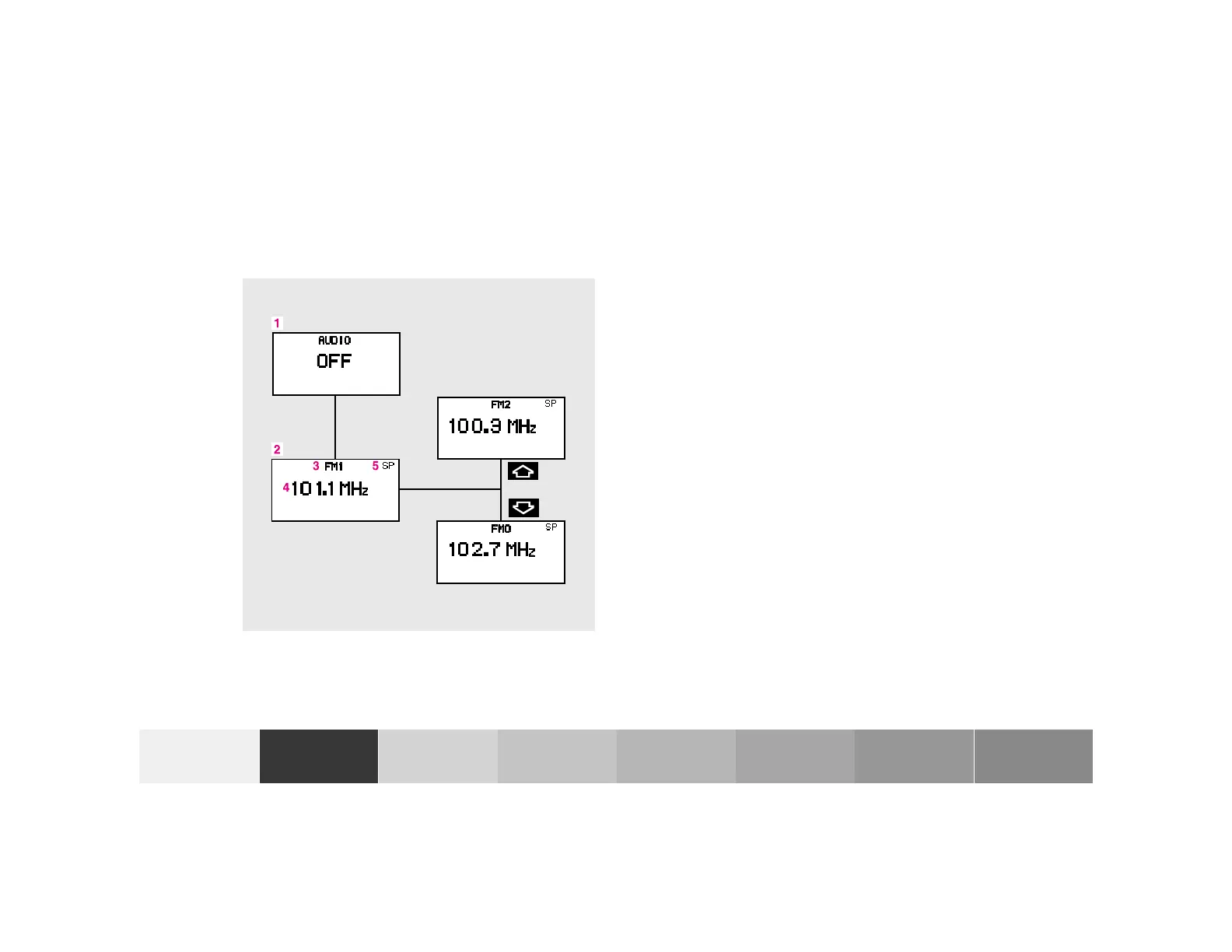
1 Audio system is switched off.
2 The radio is switch on.
3 Wave band setting and memory location number,
where appropriate.
4 Station frequency.
5 This only appears when “MEMORY” rather than
“FREQUENCY” has been selected in the Individual
settings. See page 110.
The radio must be switched on.
Press the è or ÿ button repeatedly until
display (2) appears.
Press button j or k repeatedly until the required
station or frequency is displayed.
Use the j of k button to select a stored station or
station frequency. This depends on the selection made
in the “STATION SEARCH USING” setting menu.
See individual settings, page 110.
Pressing the è or ÿ button displays the next or
previous system.
P54.30-2936-27










 To Next Page