EasyManua.ls Logo

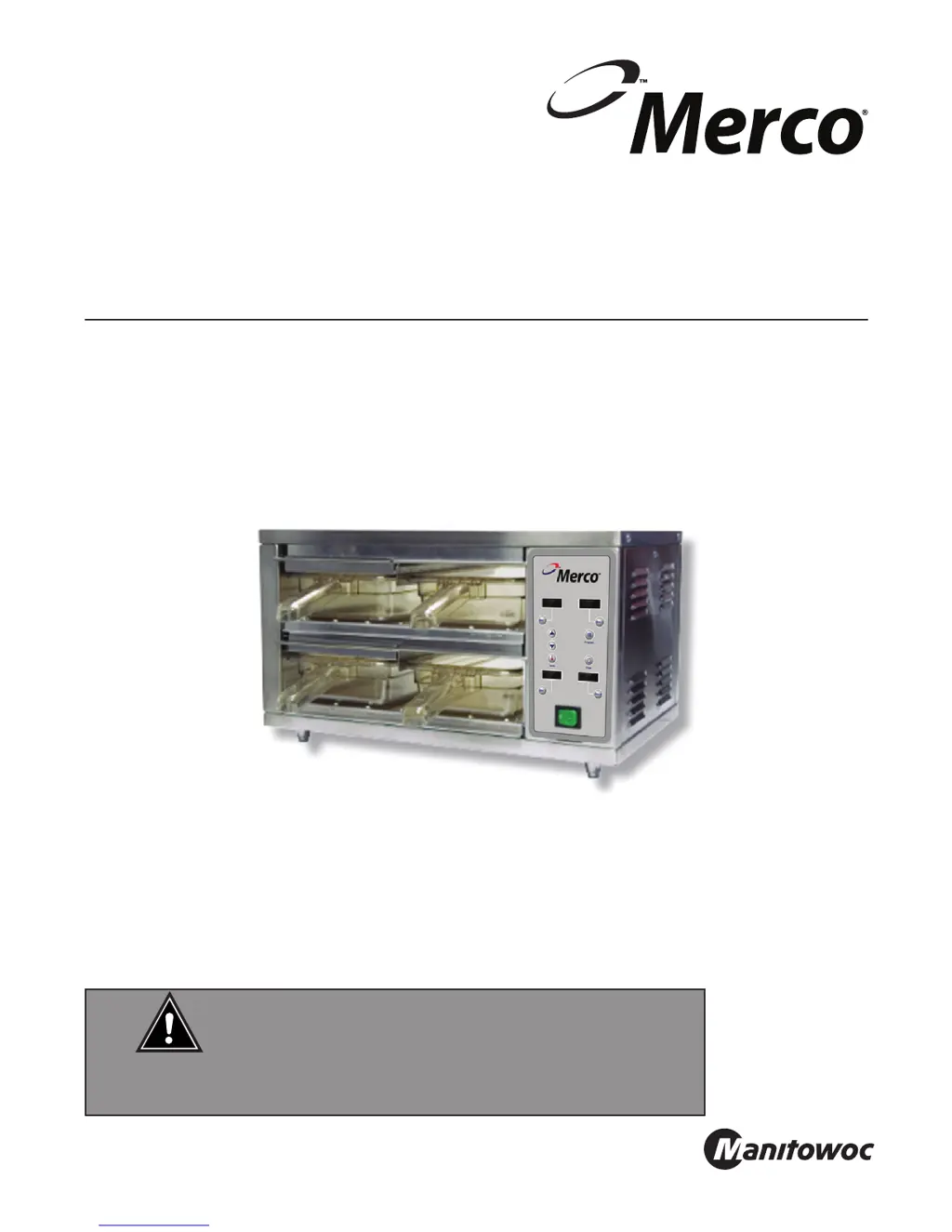
Merco MHC-22 - User Manual

Merco MHC-22
24 pages
Print Icon
To Next Page IconTo Next Page
Loading...
February 2014
Important Information
Read Before Use
Please Save These Instructions!
CAUTION
MHC-22 Holding Cabinet Items 86002 & 86003
Service, Installation and Operation Manual
Please read this manual completely before attempting to install or operate this equipment!
Notify carrier of damage!
Inspect all components immediately.

Questions and Answers

  • T
    Taylor FloresAug 3, 2025
    What to do if Merco MHC-22 holding cabinet will not heat?
    • M
      Melanie HodgeAug 3, 2025
      If your Merco Food Warmer holding cabinet isn't heating, first ensure the power cord is firmly secured in the receptacle and measure the incoming voltage. Check and reset circuit breakers if necessary. If problems persist, contact your power company. Also, check the continuity between the power switch terminals and replace the switch if needed.
  • A
    Angela NguyenAug 11, 2025
    Why my Merco MHC-22 Food Warmer unit doesn’t reach desired temperature?
    • P
      petersonanneAug 11, 2025
      If your Merco Food Warmer isn't reaching the desired temperature, check the thermocouple for continuity in the circuit. Also, compare the cavity temperature with the display reading, inserting a temperature probe into the center of the cavity (acceptable variation is +/- 20°). Inspect the heat element for loose connections and verify the amp draw on each element for proper load, and check the thermostat (common wire). Note that if the thermostat is faulty, both circuits will be affected.
  • C
    Crystal NguyenAug 18, 2025
    What to do if temperature is too high in Merco MHC-22?
    • V
      vhallAug 18, 2025
      If the temperature in your Merco Food Warmer is too high, check the thermocouple for incorrect wiring or reversed polarities. Compare the cavity temperature with the display reading, using a temperature probe in the cavity's center (acceptable variation is +/- 20°). Also, inspect the heat element for loose connections and verify the amp draw on each element for proper load. If the amp draw is high or low, check the individual elements for opens, shorts and proper resistance. With power off, check resistance of elements using a digital multimeter. Element resistance should be 120V – 87 ohms. Replace heating element (shelf) if needed.
  • R
    Richard ThomasAug 27, 2025
    What does it mean if Merco MHC-22 display reads unusual characters?
    • X
      xjenkinsAug 27, 2025
      If the display on your Merco Food Warmer shows unusual characters, ensure that all wires are properly connected and grounded. If the wiring is correctly grounded and the issue persists, a new control board is required.

Summary

Safety Warnings and Precautions

Receiving and Inspection

Product Identification and Certifications

Serial Number Information

Details on locating and using the unit's serial number for service and parts.

Warranty Information

Information on registering, verifying, and downloading warranty details.

Regulatory Certifications

Lists certifications like UL, ULC, and European Conformity for the unit.

Equipment Specifications

Installation Guide

Control Panel Overview

Operating the Holding Cabinet

Programming Instructions

Pre-Programmed Items

Overview of factory-programmed food items and how to use them.

Custom Product Programming

Information on programming up to 32 food items with temp, time, and bin settings.

Maintenance and Cleaning

Application Guide and Settings

Custom Product Settings Chart

Troubleshooting Guide

Diagnostic Mode Operations

Wiring Diagram and Connections

Sequence of Operation

Replacement Parts List

Replacement Procedures

Important Notes

Merco MHC-22 Specifications

General IconGeneral
BrandMerco
ModelMHC-22
CategoryFood Warmer
LanguageEnglish

Related product manuals