Instantaneous fuel economy
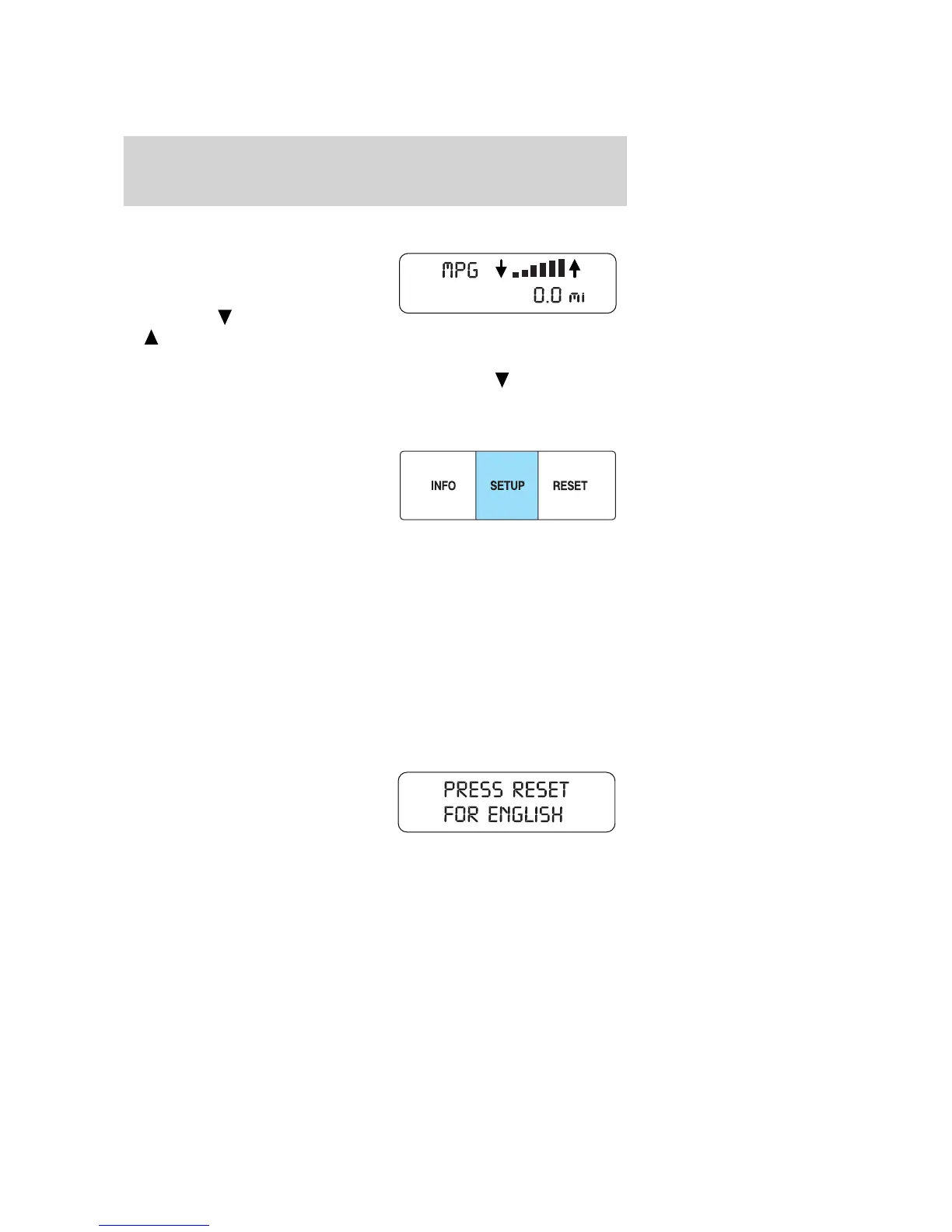
Select this function from the INFO
menu to display your instantaneous
fuel economy. This will display your
fuel economy as a Bar Graph
ranging from
poor economy
to
excellent economy.
Your vehicle must be moving to calculate instantaneous fuel economy.
When your vehicle is not moving, this function shows
, one or no bars
illuminated. Instantaneous fuel economy cannot be reset.
Setup menu
Press this control for the following
displays:
• Reset to English (if in another
language)
• System Check
• Oil Life
• Units (English/Metric)
• Autolamp Delay (if equipped)
• Autolock (if equipped)
• Autounlock (if equipped)
• Language
• Compass Zone (if equipped)
• Compass Calibration (if equipped)
Reset to English (if in another language)
When entering the SETUP MENU
and a non-English language has
been selected, “PRESS RESET FOR
ENGLISH” will be displayed to
change back to English.
Press the RESET control to change back to English.
2008 Mariner (mrn)
Owners Guide (post-2002-fmt)
USA (fus)
Driver Controls
68


 To Next Page
 Loading...