Her türlü değişiklik hakkı saklıdır.
KLV-09/Yayın Tarihi : 09.03.2023/Revizyon No: 00 /Revizyon Tarihi:
Sayfa :
Güncel dokümanlar için www.merihasansor.com adresini ziyaret ediniz!
Belirtilmeyen tüm ölçü birimleri milimetredir.(mm)
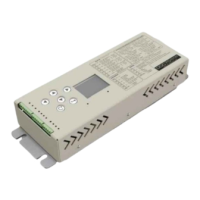
DDC70/DDC80
Her türlü değişiklik hakkı saklıdır.
KLV-09/Yayın Tarihi : 09.03.2023/Revizyon No: 00 /Revizyon Tarihi:
All menus on the door card can be accessed via a mobile device via WiFi connection, as seen on the screen
on the card.
WiFi connection method is as follows;
1-Go to the 3. Settings tab from the menu tab.
2-Enter the 8.WiFi tab and confirm the Yes option, then WiFi is activated and the Activated warning will
appear on the screen. If there is no operation for 5 minutes, the WiFi will automatically turn off.
3-After the WiFi active notification appears, mobile data is turned off on the mobile device.
4-WiFi is activated on the mobile device and the card connects to the WiFi network whose name appears.
The name of the card is displayed on the Information sub-tab of the Menu tab.
5-The password required to connect to the network password is written in the connection diagram provided
with the Merih1977 product.
6-After the network connection is active, login to 192.168.4.1 network via web browser.
7-The entered network address is designed for Merih INC for the remote access connection of the related
card. Name and Password information is written on the connection diagram provided with the product for
entering the system. Name:Merih Password: DDC70
8-After the proper connection is established, the relevant menu for door card control and settings via the
mobile device will appear on the mobile device screen.
9-Wi-Fi range is up to 10 m unless there is an obstacle.
27


 To Next Page
 Loading...