
 Need help?
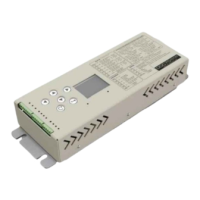
Do you have a question about the MERIH DDC70 and is the answer not in the manual?
Information and precautions for first-time users of the DDC70/DDC80 door control card.
Instructions and precautions for first-time users of the DDC70/DDC80 door control card.
Electrical specifications related to the power input and output of the device.
Technical details regarding the motor compatibility and performance.
Environmental conditions for the operation and storage of the device.
Illustrates the door's movement characteristics during opening.
Illustrates the door's movement characteristics during closing.
Displays the main menu structure and its functions.
Configuration options for door distance parameters like length and travel.
Diagram for connecting safety circuits to bypass door mechanisms.
Wiring diagram for connecting the door monitoring contact to the DDC70.
Wiring diagram for connecting the door electrical locking contact to the DDC70.
Troubleshooting steps for when the control card has no power.
Steps to diagnose and resolve issues where the door does not move.
Troubleshooting for doors moving too quickly.
Troubleshooting for doors stuck open or closed.
Diagnosing reverse door movement by checking motor terminals.
Troubleshooting door crashes due to insufficient deceleration.
Diagnosing doors that slow down prematurely.
Resolving false jamming detections by checking sensors and settings.
Instructions and precautions for first-time users of the DDC70/DDC80 door control card.
Electrical specifications related to the power input and output of the device.
Technical details regarding the motor compatibility and performance.
Illustrates the door's movement characteristics during opening.
Illustrates the door's movement characteristics during closing.
Displays the main menu structure and its functions.
Configuration options for door distance parameters like length and travel.
Diagram for connecting safety circuits to bypass door mechanisms.
Wiring diagram for connecting the door monitoring contact to the DDC70.
Wiring diagram for connecting the door electrical locking contact to the DDC70.
Troubleshooting steps for when the control card has no power.
Steps to diagnose and resolve issues where the door does not move.
Troubleshooting for doors moving too quickly.
Troubleshooting for doors stuck open or closed.
Diagnosing reverse door movement by checking motor terminals.
Troubleshooting door crashes due to insufficient deceleration.
Diagnosing doors that slow down prematurely.
Resolving false jamming detections by checking sensors and settings.
Instructions and precautions for first-time users of the DDC70/DDC80 door control card.
Electrical specifications related to the power input and output of the device.
Technical details regarding the motor compatibility and performance.
Illustrates the door's movement characteristics during opening.
Illustrates the door's movement characteristics during closing.
Displays the main menu structure and its functions.
Configuration options for door distance parameters like length and travel.
Diagram for connecting safety circuits to bypass door mechanisms.
Wiring diagram for connecting the door monitoring contact to the DDC70.
Wiring diagram for connecting the door electrical locking contact to the DDC70.
Troubleshooting steps for when the control card has no power.
Steps to diagnose and resolve issues where the door does not move.
Troubleshooting for doors moving too quickly.
Troubleshooting for doors stuck open or closed.
Diagnosing reverse door movement by checking motor terminals.
Troubleshooting door crashes due to insufficient deceleration.
Diagnosing doors that slow down prematurely.
Resolving false jamming detections by checking sensors and settings.
 General
| Output Current | 70A |
|---|---|
| Power | 30 kW |
| Cooling Method | Forced Air Cooling |
| Control Method | PWM |
| Protection Features | Overcurrent, Overvoltage, Undervoltage, Overtemperature, Short Circuit |

 To Next Page