4
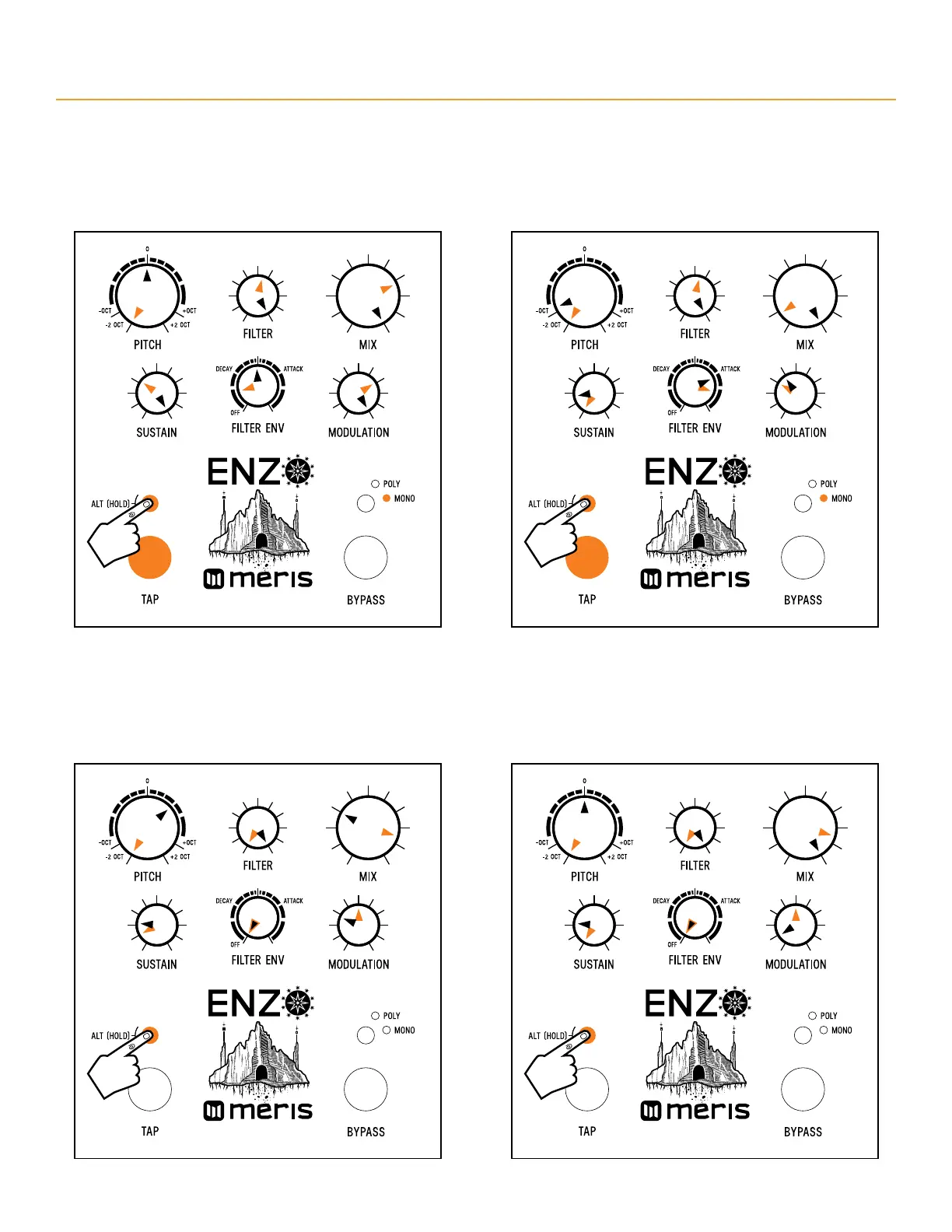
ENZO - FACTORY SETTINGS
Enzo Preset 7 “Mono Tyrell” - 95 bpm
Note: Black pointers = top layer settings. Orange pointers = secondary layer settings. For secondary controls only, hold ALT button (L LED button) while turning knob.
Release ALT button when knob settings are done. Orange TAP footswitch = envelope follower. White BYPASS footswitch = sawtooth wave.
Enzo Preset 8 “ShiftTrem” - 65 bpm
Note: Black pointers = top layer settings. Orange pointers = secondary layer settings. For secondary controls only, hold ALT button (L LED button) while turning knob.
Release ALT button when knob settings are done. White TAP footswitch = triggered envelope. White BYPASS footswitch = sawtooth wave.
Heel
Heel
Toe
Toe
alt function: portamento
alt
function: portamento
alt
function: portamento
alt
function: portamento
alt
function: ring modulation
alt
function: ring modulation
alt
function: ring modulation
alt
function: ring modulation
alt
function: delay feedback
alt
function: delay feedback
alt
function: delay feedback
alt
function: delay feedback
alt
function: filter bandwidth
alt
function: filter bandwidth
alt
function: filter bandwidth
alt
function: filter bandwidth
alt
function: filter type
alt
function: filter type
alt
function: filter type
alt
function: filter type
alt
function: delay level
alt
function: delay level
alt
function: delay level
alt
function: delay level


 To Next Page