3
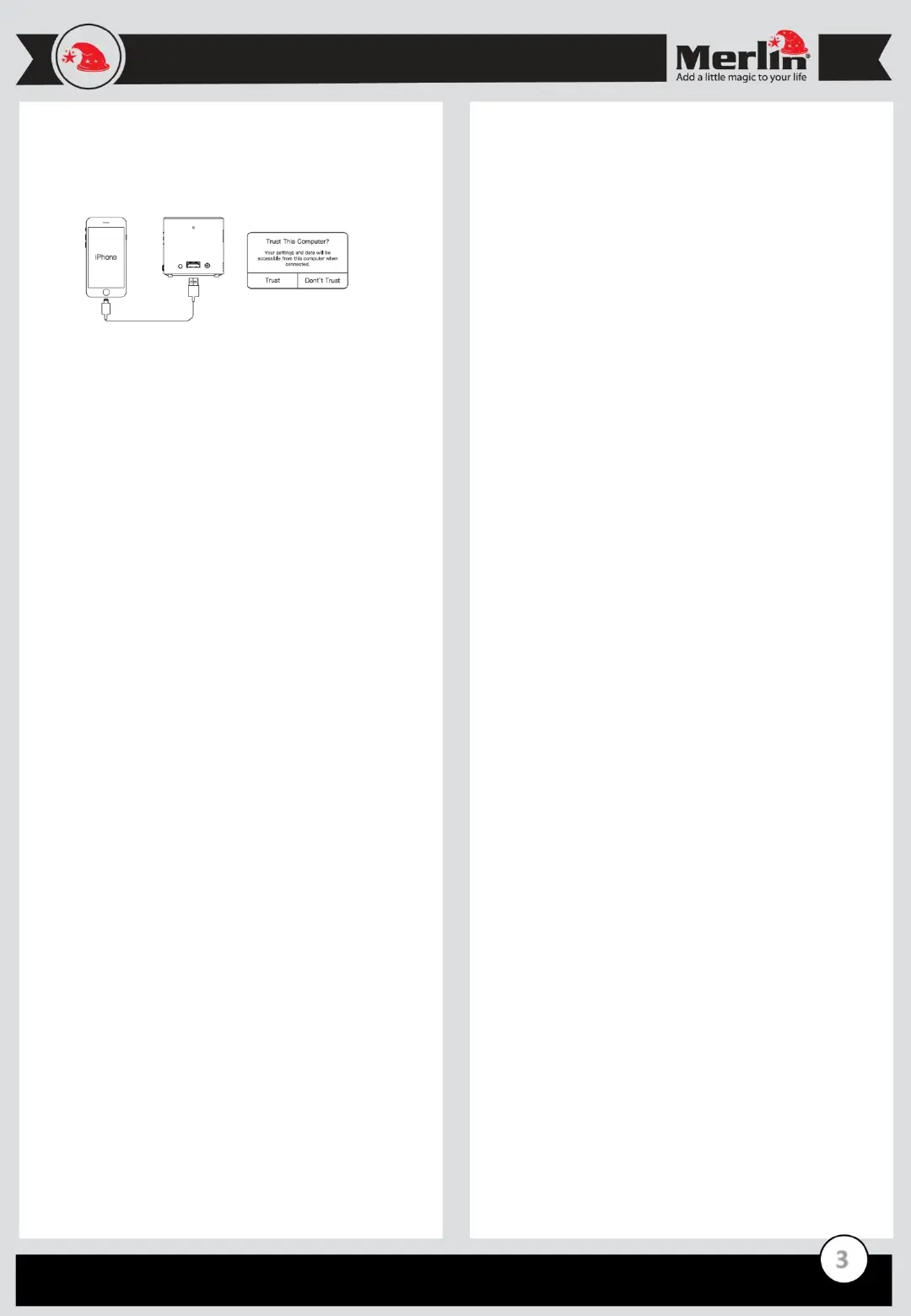
USB Mirroring:
- Please connect iPhone to the projector using Original iPhone
cable
- Click the “Trust” option, then start Mirroring.
FAQ
Q) The projector is not powering up.
A) Check if the charger is properly connected to the projector and
the mains and make sure that the projector have enough charge to
operate.
Q) No Display from HDMI.
A) Re-check the connections of the projector from the source.
Loose connection or faulty cable(s) can cause this issue. Adjusting
the source’s resolution may also sort it out.
Q) The display is not clear.
A) Properly adjust its focus and make sure to use appropriate
screens . Projection quality are also affected by the screen quality
in terms of brightness and color.
Q) No sound is coming from the projector.
A) Audio depends on the volume of both the projector and its
source, so make sure that both are adjusted accordingly to get the
desired output. Connections can also be the problem, using
another cable will help you troubleshoot the issue.
Maintenance:
1. Retain these instructions for future use.
2. Clean the product with a damp cloth and mild soap.
3. Do not expose this product to humid or moisture.
4. Be careful not to turn or twist the cables used in this product
too much as it can lead to device malfunction and failure.
5. This product is not designed to be submerged in water and
will malfunction if this occurs.
6. This product has no user serviceable items inside. Do not
open this product as the user risk injury and would void the
warranty.
7. Keep unit away from strong magnetic fields to avoid
interference with the product.
8. When the battery goes lower than 25% the app with show the
low battery message. Please recharge the battery.
Tips:
- Connection takes about 45 seconds for the first time, please be
patient.
- Recommend the original lightning charging cable. The user
must use the cable which supports data transfer.
Applications:
Cube HD can be used to run most Android apps. Go to the “Google
Play” icon to install apps. Once installed the apps will be available
in the “All Apps” icon.


 To Next Page
 Loading...