2. Download the Meross app and choose Smart Garage
Door Opener to get start.
App Store
GcoglePlay
amazon
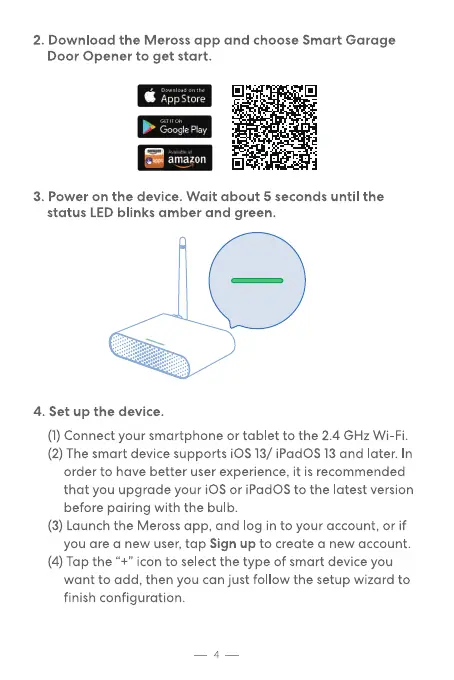
3. Power on the device. Wait about 5 seconds until the
status LED blinks amber and green.
4. Set up the device.
(1)Connect your smartphone or tablet to the 2.4 GHz Wi-Fi.
(2) The smart device supports iOS 13/ iPadOS13and later. In
order to have better user experience, it is recommended
that you upgrade your iOS or iPadOS to the latest version
before pairing with the bulb.
(3) Launch the Meross app, and log in to your account, or if
you are a new user, tap Sign up to create a new account.
(4) Tap the "+" icon to select the type of smart device you
want to add, then you can just follow the setup wizard to
finish configuration.
4


 To Next Page