EasyManua.ls Logo

MerryIoT Air Quality CO2 - User Manual

MerryIoT Air Quality CO2
15 pages
Print Icon
To Next Page IconTo Next Page
Loading...
BQW_02_0032.003
MerryIoT Air Quality CO2
Reference Manual
CD10-915
CD10-868
Model Name: CD10
Question and Answer IconNeed help?

Do you have a question about the MerryIoT Air Quality CO2 and is the answer not in the manual?

Overview

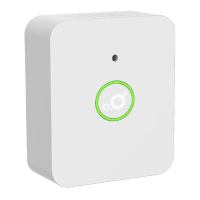
The MerryIoT Air Quality CO2 (Model Name: CD10) is a device designed for monitoring CO2 levels, temperature, and relative humidity in indoor environments. It is suitable for both in-home and in-building usage, catering to consumer and facility management applications. The device is optimized for high-volume manufacturing, extended battery life, and features an aesthetically pleasing design for indoor placement.

Important Technical Specifications:

  • Mechanical:
    • Dimensions: 90mm (Length) x 70mm (Width) x 35mm (Height)
    • Weight: 86g (without battery), 124g (with battery)
    • IP Rating: IP 40 equivalent, indicating protection against solid objects larger than 1mm and splashing water.
  • Environmental:
    • Operating Temperature: 0°C to +50°C
  • Power:
    • Source: 2x 3.6V AA Li-SOCI2 1200 mAH batteries
    • System Maximum Voltage: 3.6V
    • System Minimum Voltage: 2.7V
    • Current: 135mA maximum
  • Radio:
    • Frequency: Either 863-870MHz (EU models) or 902-928MHz (North America)
    • Rx Sensitivity (Conducted): -140dBm
    • Antenna Gain (LoRa): 1.09dBi Peak, -5dBi Avg
    • Antenna Gain (BLE): 2.71dBi Peak
  • User Interface:
    • LEDs: LED Ring with Red/Yellow/Green color indicators for CO2 status.
    • CO2 Sensor: Integrated CO2 sensor.
    • Button: Test Button.
    • Buzzer: Alarm 0cm 75dB.
    • Wave: Proximity sensor detects within 3cm.
  • Certifications and Conformity:
    • FCC: On-going
    • CE: On-going
    • IC: On-going
  • Additional Features:
    • Battery Monitoring

Usage Features:

The MerryIoT Air Quality CO2 device offers both installation mode and default operation.

  • Installation Mode:
    • To activate installation mode, users must press the button for over 5 seconds.
    • When the sensor attempts to join the network, a yellow LED will blink for 3 seconds.
    • Upon successful network joining, the yellow LED will remain on for 3 seconds, and an uplink message with a CO2 value of 0 will be sent.
    • Users can re-attempt to join the network by pressing the button for over 5 seconds again.
  • Default Operation:
    • The device sends messages to the network when there's a significant change in environmental conditions. These triggers include:
      • CO2 exceeding a predefined threshold (accompanied by a buzzer alarm).
      • Button presses (without a buzzer alarm).
      • Keepalive messages.
    • Users can manually send a test message by pressing the button.
    • Waving a hand in front of the sensor will activate the LED ring for 5 seconds, displaying the CO2 status:
      • Red: CO2 PPM >1000 (Poor Air Quality)
      • Yellow: CO2 PPM 800-1000 (Fair Air Quality)
      • Green: CO2 PPM 400-800 (Good Air Quality)
    • The device detects environmental conditions every 5 minutes.
    • If inactive for 60 minutes, the device will send a message.
    • When the test button is pressed in default mode, the yellow LED will flash 3 times within 100ms.
  • LoRaWAN Messages:
    • The device uses LoRaWAN packets on port 127.
    • Status Messages: Triggered by 60-minute inactivity, CO2 > 1000 ppm, or environmental scans every 5 minutes. Button presses also trigger immediate messages.
    • Payload Content: Status messages include information on sensor status (trigger event/keepalive, button pressed/released, CO2 over threshold), battery level (unsigned value v, battery voltage in V = (21 + v) ÷ 10), environment temperature (signed integer in °C, -20~50 °C), relative humidity (unsigned value in %, 0-100), and CO2 equivalent estimate (in ppm).
  • Configuration Downlink Command:
    • The device supports configuration via downlink commands on port 204.
    • Commands include:
      • Setting keep-alive value and detection interval (in 5-minute units).
      • Setting buzzer alarm period (in seconds) for CO2 threshold, and enabling/disabling CO2 sensor and proximity sensor.
      • Setting CO2 threshold (range 400-65535).
      • Setting CO2 calibration value (range 400-2000 PPM).
    • Response Content: The device provides a response to configuration commands, confirming the applied settings.
    • Frame Count 1 Content: Includes hardware ID and firmware version information.

Maintenance Features:

  • Battery Replacement:
    • Use only ER14505 (3.6V AA Li-SOCI2) batteries.
    • To replace batteries, remove the battery cover using a cross-slot screwdriver.
    • Cautions:
      • Improper disposal (fire, hot oven, crushing, cutting) can lead to explosion.
      • Exposure to extremely high temperatures or low air pressure can cause explosion or leakage.
      • Discard used batteries according to manufacturer's instructions.
      • Risk of explosion if the battery is incorrectly replaced; use only the same or equivalent type.
      • Observe polarity (+/-) marks.
      • Do not mix different cell types.
      • Keep batteries out of reach of children.
      • Seek medical advice if a battery is swallowed.
      • Purchase the correct battery for the equipment.
      • Keep batteries clean and dry; wipe terminals with a clean dry cloth if dirty.
      • Do not dismantle, open, shred, expose to heat/fire, or short-circuit batteries.
      • Do not remove batteries from original packaging until needed.
      • Avoid mechanical shock.
      • In case of leakage, avoid skin/eye contact; wash affected area with water and seek medical advice.
      • Use only the charger specifically provided with the equipment.
  • Cleaning:
    • Use a clean, dry cloth or wipe to clean Browan products.
    • Do not use detergent or abrasive materials, as this may damage the sensors.
  • General Safety Instructions:
    • Avoid exposing sensors or batteries to very cold or very hot temperatures.
    • Handle batteries with proper precautions.
    • Do not drop, disassemble, open, crush, bend, deform, puncture, shred, microwave, incinerate, or paint the sensors.
    • Do not insert foreign objects into openings.
    • Do not use if hardware is damaged (cracked, punctured, water-harmed).
    • Do not dry sensors or battery with external heat sources (microwave, hairdryer).
    • Do not install hardware while standing in water or with wet hands.
    • Do not handle sensors with wet hands when charging.
    • Some sensors contain magnets; keep away from children and seek medical attention if swallowed.
    • These products are not toys and contain small parts; do not allow children or pets to play with them.
    • This device is restricted to indoor use only.

MerryIoT Air Quality CO2 Specifications

General IconGeneral
BrandMerryIoT
ModelAir Quality CO2
CategorySecurity Sensors
LanguageEnglish