PAGE 14
MODES (continued )
Like Green, Yellow Rhythm includes a dynamic bright circuit that transforms the GAIN control into an additional tone control. Again,
like Green, the lower the GAIN contol is set, the more top-end harmonics are allowed to pass freely. The higher it is set, the less
highs are allowed to pass and more lows and mids replace these as the dominant frequencies.
Therefore at higher settings, say
6.5
on the GAIN control and above, the whole attitude of Rhythm Yellow turns not-quite-so-mellow
and puts on a darker, more aggresive face. Beginning around
6.5
through
8.5
, Yellow delivers that “threshold of distortion”
mean semi-clean that so many industrial and alternative hits are based upon. It’s urgent and cuts through great live or on tape.
Above
8.5
the GAIN control in Rhythm Yellow almost becomes another Lead-Drive-of-the-Rhythm. It moves quickly past the thresh-
old region into downright GAIN! Again, the MIDRANGE control becomes a powerful tool in dialing and defining the type and amount
of Gain here. The higher you set the Mids, the more saturation will occur, disguising your guitar to taste. Much like Rhythm Green, the
higher regions of Gain and Midrange will dictate a lower setting of the MASTER control in relation to other modes. Treble and
Presence add the finishing touches to fine-tune the pick attack and openness. Yellow“maxed” is another formidable solo sound
that definitely should not be overlooked!
So you can see that this mode has at least as many uses as Rhythm Green and many long time Boogie enthusiasts rely on this faithful
sound as their workhorse rhythm.
NOTE: The far right parameter keys control the DYNAMIC VOICE which is an internal EQ circuit described earlier in this manual. It
works similar to the 5-band graphic EQ that has become a powerful on board addition to many Boogie circuits. It increases both
bass and treble responses simultaneously and gives the impression of widening and enlarging the sound. This being the
case, Rhythm Yellow becomes the more likely candidate for positive enhancement since its’ inherent sound is “narrower” and “skin-
nier.” Settings of
4.0
and below can have useful and interesting effects on clean rhythm sounds in this mode, with the tastiest
embellishments occurring at
1.0
or
2.0
Rhythm Green, because of its fatter and more vintage character, shies away from the
DYNAMIC VOICE, becoming tubby and bloated, especially at high settings. Consequently, we recommend using the DYNAMIC
VOICE sparingly in the RHYTHM GREEN mode. If and when this becomes necessary, Rhythm Yellow would be the preferred
choice to alter with this extremely powerful EQ circuit.
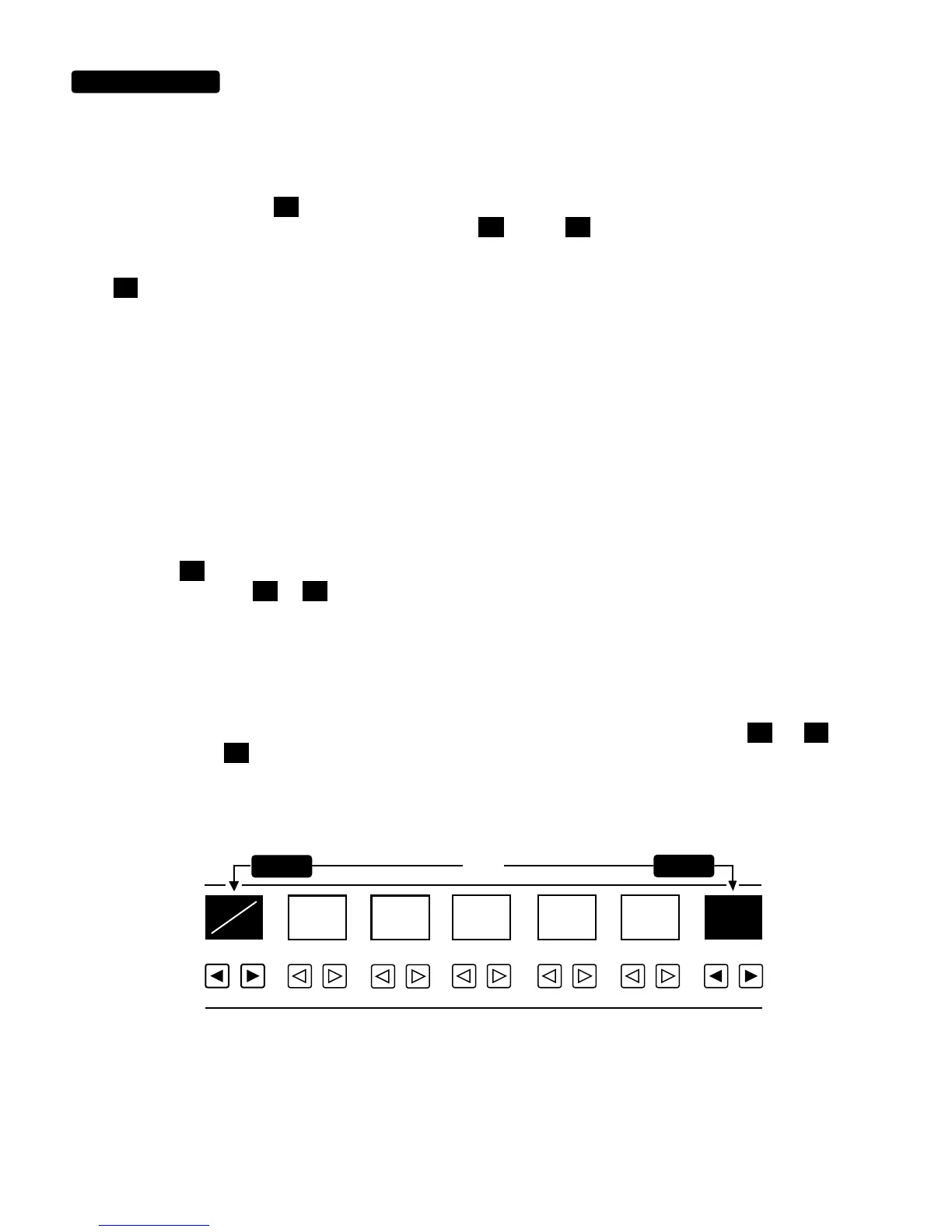
NOTE: Like the Green, Rhythm Yellow can produce signal levels too high to remain completely clean at the DYNAMIC
VOICE Input Stage. To avoid this, follow a rule of balance. If you maximize the GAIN controland minimize the MASTER control, this
will prevent unwanted clipping. For the “cleanest” clean sounds, try setting the Gain control between
4.5
and
6.0
with the
MASTER control set at
5.5
or below. If this does not balance with your other settings it may be necessary to increase the power
amps’ level controls and reduce the MASTER control setting on some or all of your other presets. This will give you the volume level
you need and at the same time ensure optimum headroom for your clean rhythm sounds. Check out the example below for what
we think is a perfect setting for the cleanest possible sound.
Now that you understand more about the layout and the individual personality of the two RHYTHM Modes, the only mystery left is
where you’re going to find the countless hours of time to explore and enjoy them. Don’t worry, it will be there for you to dive into
whenever you’re able to come up with some time, so don’t rush... relax and discover. We know what it’s like, believe us! We spent
over a year just perfecting these two modes alone. Crazy? Neurotic? Maybe, but we prefer to use the term “committed.” With this
acknowledgement, let’s move on to the LEAD Modes.
4.5
6.0
MASTERLEAD 2 DRIVELEAD 1 DRIVE
BASSMIDDLETREBLEGAIN
0
1 23 45 67 89
5.5
BELOW
OR
AND
SET AT
SET AT


 To Next Page
 Loading...