EasyManua.ls Logo

MESTIC RTA-2600 - User Manual

MESTIC RTA-2600
32 pages
Print Icon
To Next Page IconTo Next Page
Loading...
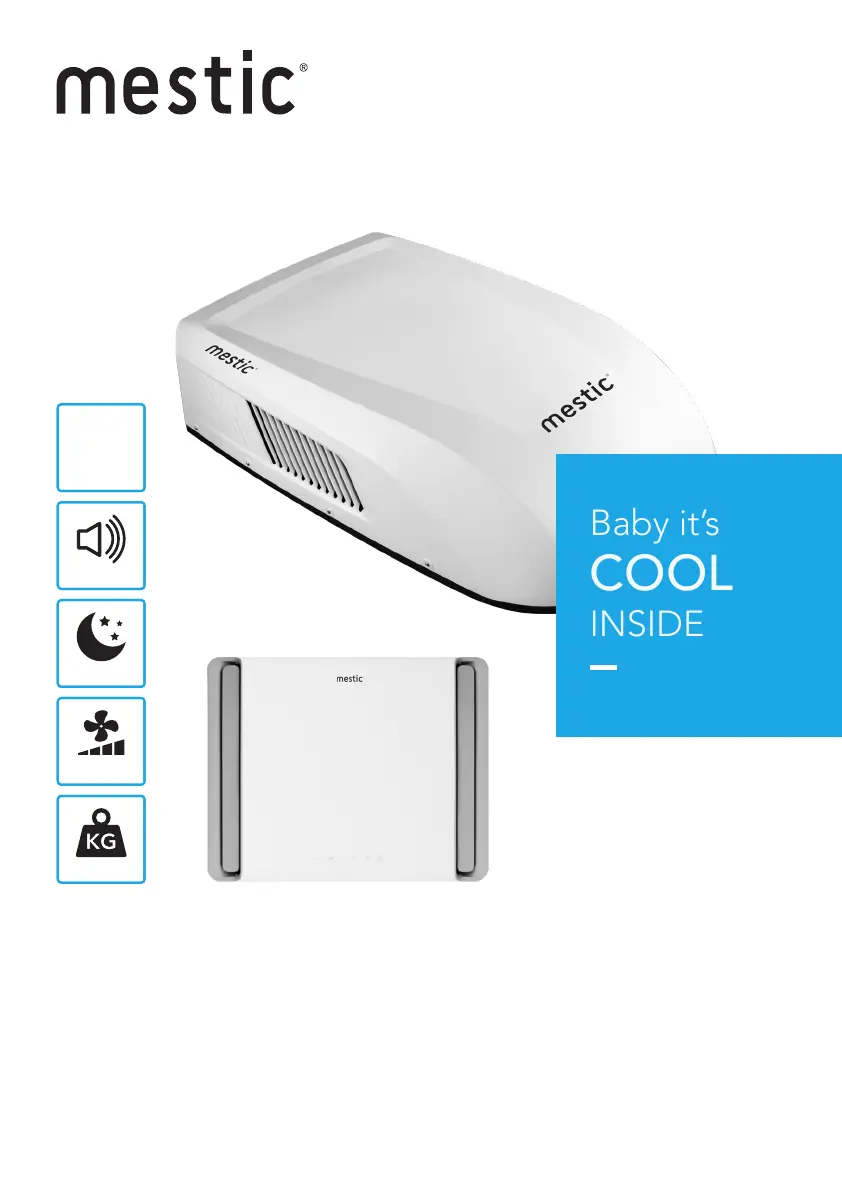
Rooftop air conditioner RTA-2600
User instructions EN
SMART ADVENTURE
Baby it’s
COOL
INSIDE
53 dB
4 speeds
8870
BTU/h (1160 W)
Mode
35 kg

Questions and Answers

  • W
    William GarciaJul 30, 2025
    Why is my MESTIC Air Conditioner not cooling the room?
    • J
      Joseph RamirezJul 30, 2025
      If your MESTIC Air Conditioner isn't cooling the room, there might be a few reasons: * The unit might not be level. To fix this, ensure the air conditioner is mounted as level as possible when the vehicle is parked. * The temperature setting could be too high. Try resetting the remote control to a lower temperature. * A dirty air filter can also cause cooling issues. Remove and clean the filter. * If the room was very hot before turning on the unit, allow sufficient time for it to cool the room.
  • J
    James KnappAug 5, 2025
    What to do if my MESTIC RTA-2600 has ice or frost on the coils?
    • E
      Eric JohnsonAug 6, 2025
      If you notice ice or frost on the coils of your MESTIC Air Conditioner, it could be due to low inside temperature or a dirty filter. Try selecting FAN mode at HIGH fan speed. Also, remove and clean the filter.
  • W
    walshhannahAug 13, 2025
    How to fix a MESTIC RTA-2600 that won't start?
    • P
      Penny JohnsonAug 13, 2025
      If your MESTIC Air Conditioner won't start, the unit may not be connected to the power supply correctly. Check the vehicle's power supply and ensure it is properly connected.
  • Z
    zjohnsonAug 21, 2025
    What to do if my MESTIC Air Conditioner has water dripping inside?
    • G
      Gary PerryAug 21, 2025
      If your MESTIC Air Conditioner has water dripping inside, it might be because the basepan gasket hasn't been evenly compressed. To resolve this, tighten the mounting bolts evenly to compress the basepan gasket.

Summary

Product Information and Specifications

Introduction and Key Features

General information and main features of the air conditioner.

Electrical Data and Diagrams

Technical specifications and wiring diagrams for the unit.

Packing List and Parts Identification

Items included and names of product components.

Installation Guide

Steps 1-4: Mounting and Preparation

Procedures for applying seals, selecting location, and mounting units.

Steps 5-6: Wiring and Final Checks

Connecting electrical components and completing the installation.

Troubleshooting and Maintenance

Problem Solving and Error Codes

Guide to diagnosing issues and understanding error codes.

Routine Maintenance Procedures

Guidelines for upkeep and care of the unit.

Safety Precautions

User Safety Warnings

Important safety notices regarding appliance usage, especially for children.

Installation Precautions

Installation Warnings and Requirements

Critical warnings and requirements for safe installation.

Location and Environmental Considerations

Guidelines for choosing a suitable mounting site and operating conditions.

Electrical Connection Safety

Detailed Product Information

Unit Introduction and Electrical Data

Expanded introductory details and electrical specifications.

Electric Diagram

Wiring Diagram Overview

Visual representation of electrical connections and components.

Packing List

Included Components

List of items included in the product packaging.

Parts Name

Component Identification

Identification and naming of product components.

Remote Controller Operation

Remote Controller Buttons and Icons

Identification and function of remote buttons and display icons.

Remote Controller Functions

Basic Remote Functions

On/Off, Mode, and Fan button operations.

Advanced Remote Functions

X-FAN function and temperature/fan speed adjustments.

Timer and Menu Settings

Clock, LED, and Turbo Modes

Combination Buttons

Child Lock and Battery Replacement

Engaging child lock and procedures for battery replacement.

Control Panel Guide

Control Panel Buttons and Filter Indicator

Description of control panel buttons and filter indicator.

Installation Instructions - Part 1

Pre-installation Checks and Step 1

Preliminary checks and sealing strip/sponge application.

Installation Instructions - Part 2

Step 2: Location Selection and Roof Installation

Choosing a mounting spot and installing the unit on the roof.

Installation Instructions - Part 3

Mounting Plate Installation and Cautions

Method for installing mounting plate and important cautions.

Unit Leveling Guidelines

Guidance on unit leveling and dimensional information.

Installation Instructions - Part 4

Step 3: Mounting the Outdoor Unit

Process of physically attaching the outdoor component.

Installation Instructions - Part 5

Step 4: Installing the Ceiling Assembly

Steps for fitting the indoor ceiling-mounted part.

Installation Instructions - Part 6

Step 5: Foam and Air Duct Assembly

Assembling foam and installing the air duct for the indoor unit.

Electrical Wiring

Step 5: Wiring Procedures

Routing and connecting power and control wires.

Terminal Insulation and Cable Management

Completing the Installation

Step 6: Final Assembly and Checks

Final steps for assembly, securing grilles, and functional checks.

Troubleshooting Guide

Common Problems and Solutions

Diagnosing and resolving common issues like unit not starting or cooling.

Error Codes

Error Code Interpretation

List and explanation of error codes displayed by the unit.

Normal Maintenance Procedures

Maintenance Activities and Frequency

Routine tasks like cleaning coils and filters and their recommended frequency.

Air Filter Care

Step-by-step guide to removing and cleaning the air filter.

Compliance and Recycling

Recycling Information

Guidelines for recycling waste electrical and electronic equipment.

Declaration of Conformity

Statement of compliance with EU directives.

MESTIC RTA-2600 Specifications

General IconGeneral
BrandMESTIC
ModelRTA-2600
CategoryAir Conditioner
LanguageEnglish

Related product manuals