EasyManua.ls Logo

MetaSystem WHAD 3000 - User Manual

MetaSystem WHAD 3000
36 pages
Go to English
Print Icon
To Next Page IconTo Next Page
Loading...
www.metasystem.it
V81575A
Manuale d’uso per l’utente
User manual
IT
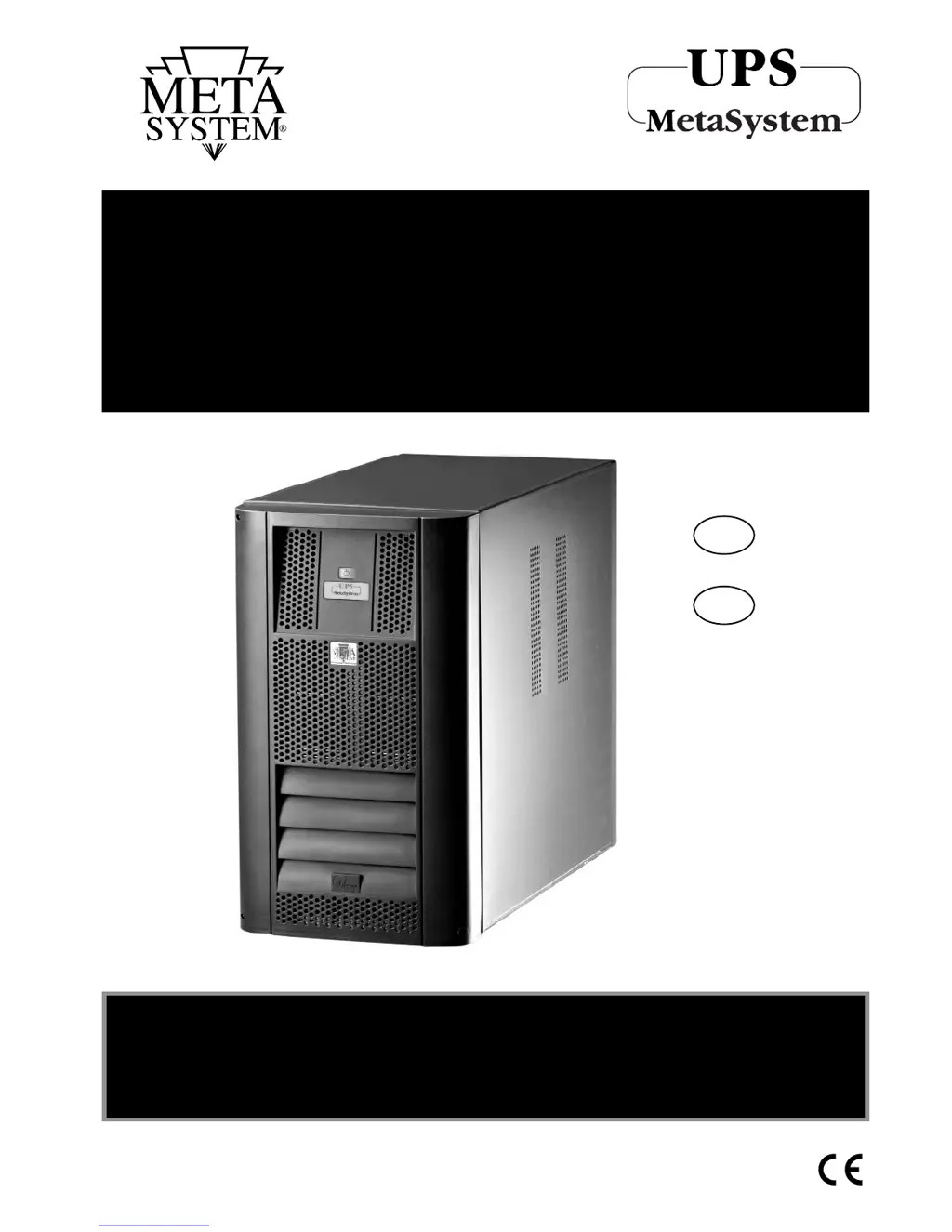
UPS WHAD
3000 - 4000 - 5000 - 6000
GRUPPO DI CONTINUITA
UNINTERRUPTIBLE POWER SUPPLY
EN

Questions and Answers

  • P
    Patricia OrtizAug 2, 2025
    What to do if MetaSystem WHAD 3000 beeps and red and yellow lights flash?
    • G
      Gina Johnson PhDAug 2, 2025
      If the MetaSystem UPS beeps intermittently, and both the red and yellow warning lights are flashing, it indicates an overload on the UPS output. To resolve this, reduce the number of connected appliances to ensure the load does not exceed the UPS's maximum power capacity. Alternatively, if your UPS configuration isn't at its maximum, your service center might be able to increase its power by installing additional power boards and batteries.
  • S
    Scott SanchezAug 7, 2025
    Why does MetaSystem WHAD 3000 beep and turn off?
    • G
      guerreromelanieAug 7, 2025
      If the MetaSystem UPS beeps continuously and the yellow warning light flashes for about 15 seconds before the UPS switches off, it means the UPS batteries are completely flat. Check the magneto-thermal or differential switches that precede the UPS, as well as the input fuse.
  • J
    Julia HughesAug 11, 2025
    What to do if MetaSystem WHAD 3000 UPS beeps and red light flashes?
    • H
      Heather PriceAug 11, 2025
      If the MetaSystem UPS beeps intermittently and the red warning light flashes quickly, it indicates that the thermal protection has been tripped. To fix this, switch off the UPS and wait a few minutes to allow its internal temperature to return to normal. Also, check that the fans are working correctly and that airflow isn't blocked.
  • S
    Sheri AndersonAug 17, 2025
    How to fix MetaSystem UPS red light alternating flashes?
    • A
      Amber PerryAug 17, 2025
      If the MetaSystem UPS is switched on, the buzzer sounds, and the red warning light flashes alternatingly (short-long), then the UPS switches off after 15 seconds, it indicates an incorrect neutral conductor connection. To fix this, invert the power supply plug, or invert the connections of the neutral and phase input leads, or exclude the neutral sensor.
  • E
    Emily DavisAug 22, 2025
    Why does MetaSystem WHAD 3000 UPS beep every 12 seconds?
    • C
      carrie27Aug 22, 2025
      If the MetaSystem UPS works but a short beep is heard every 12 seconds and the yellow warning light is lit without flashing, ensure that power is present at the mains outlet and the UPS power supply cable is correctly inserted into both the mains outlet and the UPS connector itself. Also, check the fuse located at the side of the input/output connector under the plastic housing.
  • R
    robert52Aug 27, 2025
    Why is the green light flashing on my MetaSystem WHAD 3000?
    • M
      Monica AndersonAug 27, 2025
      If the green warning light is flashing quickly on the MetaSystem UPS while it's working, the mains supply is outside the permitted voltage and/or frequency limits, but the UPS can still be used. However, the by-pass function will not be operational.

Summary

Introduction

Important Information

Essential guidelines and warnings for safe and proper use of the UPS.

UPS Operation Modes

Operating Procedure Overview

Explains how the UPS informs the operator about its status using signals.

Mains Operation Explained

Describes the normal operating condition when the UPS is connected to mains power.

Battery Operation Mode

Details the UPS behavior during a mains power failure and battery usage.

By-pass Operation Explained

Covers the function of the by-pass circuit that connects output directly to input.

Visual and Acoustic Warning Signals

Lists and describes all visual and acoustic signals indicating UPS status or faults.

UPS Installation Guide

Pre-Installation Checks

Instructions for checking packaging and box contents before installing the UPS.

UPS Installation Location

Recommendations for choosing a suitable, safe, and well-ventilated installation site.

Front Panel Description

Identifies controls and indicators on the UPS front panel.

Electrical Connection Procedure

Step-by-step guide for connecting the UPS to power sources and loads.

Single Cabinet Wiring

Details the wiring process for the single cabinet UPS using the input/output connector.

UPS 5000-6000 Installation Notes

Specific installation requirements and warnings for the 5000 and 6000 models.

Diagnostics Software Usage

How to connect the UPS to a computer for diagnostics and data access.

UPS Power-On Procedure

Step-by-step instructions for safely switching on the UPS and connected loads.

UPS Technical Specifications

Construction Specifications

Physical dimensions, weight, technology, interfaces, and protection features.

Environmental Specifications

Operating and storage temperature ranges, humidity, and protection grade.

Electrical Input Specifications

Details on input voltage, frequency, current, and power factor.

Output Waveform

Describes the output waveform characteristics during mains and battery operation.

Output Specs on Mains Power

Electrical output parameters when the UPS is running on mains power.

Output Specs on Battery Power

Electrical output parameters when the UPS is running on battery power.

Battery Operation Details

Information on battery autonomy, recharge time, quantity, and average lifespan.

By-pass Specifications

Details on the type of by-pass and its switchover time.

Reference Standards Compliance

Lists safety, EMC, and performance standards the UPS conforms to.

Routine Maintenance Guide

Instructions for cleaning the UPS cabinet and air vents.

UPS Troubleshooting Guide

Common Problems and Solutions

A guide to identifying and resolving common issues encountered with the UPS.

MetaSystem WHAD 3000 Specifications

General IconGeneral
BrandMetaSystem
ModelWHAD 3000
CategoryUPS
LanguageEnglish