
 Need help?
Do you have a question about the Metcal CV-PS5200 and is the answer not in the manual?
Tips for selecting solder tip and temperature for efficient operation.
Detailed steps for performing the connection validation process.
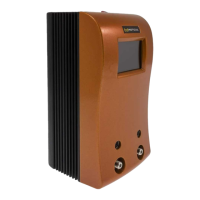
Identifies and labels components of the power supply unit.
Identifies and labels components of the hand-piece.
Identifies and labels parts of the solder cartridge.
Identifies and labels parts of the work stand.
Displays initial information and logo upon system startup.
Main interface for controlling and monitoring the soldering process.
Shows system status messages, alerts, and indicators.
Visualizes power output over time during operation.
Interface for configuring system settings and parameters.
Settings for auto-sleep duration and Fahrenheit/Celsius display.
Options for adjusting audio alerts and controlling Connection Validation.
Information on system capabilities and tip maintenance prompts.
Enables password security and supervisor access for settings.
Technical details of the power supply unit, including voltage and consumption.
Technical details of the soldering hand-piece, including cable and connectors.
Technical details of the work stand, including dimensions and weight.
Procedure to enable administrator password protection for system access.
Process to add tip part numbers to the restricted tip list.
Procedure to enable operator-level password access.
How to operate the system with the restricted tip list enabled.
 General
| Input Voltage | 100-240V AC |
|---|---|
| Input Frequency | 50/60 Hz |
| Efficiency | 85% |
| Output Current | 2.1A |
| Cooling | Fan |
| Operating Temperature | 0°C to 40°C |
| Storage Temperature | -20 to 70 °C |

 To Next Page