User Manual
MOD3CT
000000.0.0
L1 230
MP
EXP
Kvarh
kWh
Hz
Kvar
K AV
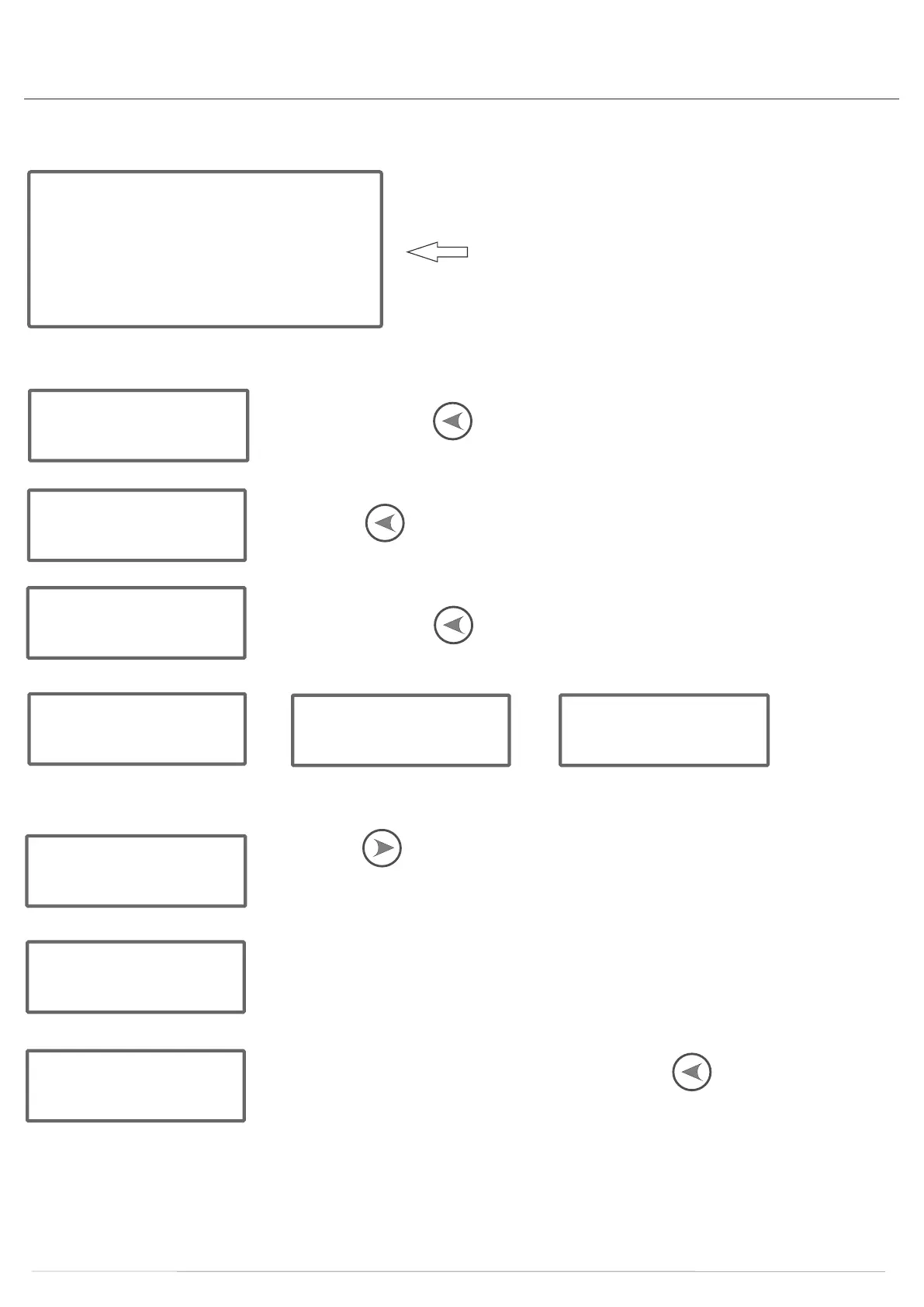
Display once kWh screen shown
CT RATIO SETTING INSTRUCTIONS
P5 0000
Press and hold the PRG button for 5 seconds.
P5 0001
Press the SEL button once and select “1”. The password selected is 0001
Id 01
Press and hold the PRG button for 5 seconds. The ID button will display.
bd 2400
Sn oe
CR 1
Cr 100
Press the SEL button for to set the CT ratios. They can be set at 27 different ratios.
(1,2,5,8,10,12,15, 16,20,24,30,40,50,60,70,80,90,100, 110,120,130,140,150,160,170,180,190)
S--500
ie. If you select CT ratio 100, it will display Ct100.
To check it, turn the meter off and then on again. The 4th screen will display 5--500.
yes
Once you have set the CT ratios, press and hold the PRG button for 5 seconds,
YES will display showing that the settings are now programmed.
Notes
1. Press and hold the SEL button to switch on the screen. The screen will automatically turned off after 1 minute.
The SEL button, when pressed, will display 14 screens: Phase Voltage (L1, L2, L3), Phase Current (L1, L2, L3), Active Power,
Power Factor, Reactive Power, Frequency, Baud Rate, ID, Serial number (high position, low position).


 To Next Page