95-7810B
2
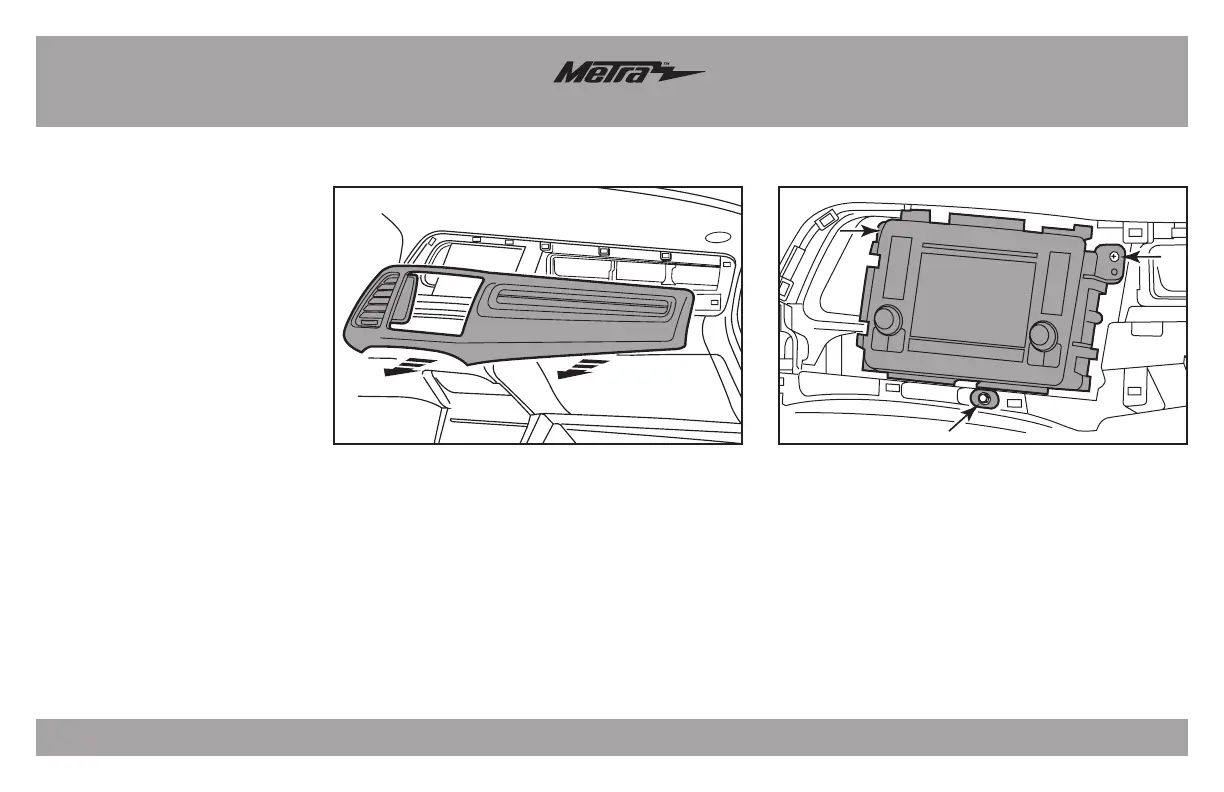
Dash Disassembly
1. Open the glove box door.
2. Unclip and remove the trim panel
surrounding the radio and a/c vent
located to the left of the radio.
(Figure A)
3. Remove (2) Phillips screws and (1)
8mm screw securing the factory
radio, and then unplug and remove
the radio. (Figure B)
Continue to kit assembly
(Figure A) (Figure B)



 To Next Page