
 Need help?
Do you have a question about the Metra Electronics WM-BPLTC and is the answer not in the manual?
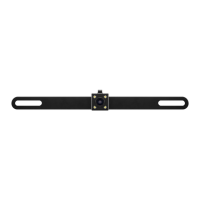
Remove license plate bolts and plate, then install the camera. Replace plate and bolts.
Connect RED wire to +12V reverse wire and BLACK wire to ground. LEDs turn on with camera power.
Run video cable to display. Attach YELLOW RCA to input. Note camera angle requirements for functionality.
 General
| Brand | Metra Electronics |
|---|---|
| Model | WM-BPLTC |
| Category | Digital Camera |
| Language | English |

 To Next Page