
 Need help?
Do you have a question about the Metrologic SP5500 OptimusS Series and is the answer not in the manual?
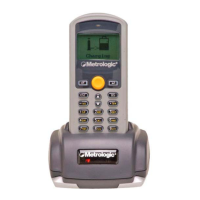
Details the SP5500 OptimusS Portable Data Terminals' features, design, and applications.
Lists Metrologic part numbers and descriptions for the Optimus S laser batch and Bluetooth units, and the charging cradle.
Illustrates and lists components of the OptimusS scanner and its cradle, including labels, ports, and indicators.
Details the function and operation of each key on the OptimusS keypad, including power, alphanumeric, navigation, and function keys.
Describes the OptimusS LCD display characteristics and provides details on the rechargeable lithium-ion battery pack.
Guides users through the initial setup of the OptimusS, including battery insertion and powering on the unit.
Explains initial operation, application loading, and accessing the system module for configuration.
Details setting up communication (RS232, USB, Bluetooth) and data collection/upload processes.
Covers system settings like Clock, Backlight, CPU Speed, and security features like passwords.
Discusses application creation, programming terminals, and configuring bar code properties.
Provides solutions for common problems like power-up failures, data transmission errors, keypad issues, and scanner problems.
Details operational specs like Light Source, Scan Speed, CPU, Memory, and Mechanical/Electrical dimensions/weight.
Covers environmental conditions, EMC compliance, shock resistance, and illustrates the scanner's scan area.
Lists contact details for Metrologic's corporate headquarters, North America, Europe, and Asian offices.
Outlines FCC compliance for Class B digital devices and measures to correct harmful interference.
Introduces the Optimizer software as a rapid SW development tool for Optimus portable data terminals.
Lists and describes utilities that work with Optimizer, such as OP_Load.exe, ProgLoad.exe, and Data_Read.exe.
Illustrates the Optimizer program's opening screen and available menu options for application development.
Details File menu options, Language menu, and unique Tools menu options for program management.
Introduces the Form as the basic building block of an Optimizer Application, used for data collection templates and properties.
Explains the Menu component for structuring applications, including menu numbering, captions, and goto actions.
Details how to create and configure lookup tables for data reference within Optimizer applications.
Covers enabling/disabling bar code types and configuring parameters like Time out, Redundancy, and specific symbology settings.
Defines initial startup settings, system settings, and security features for Optimizer applications.
Explains how to download programs and lookup tables to the Optimus using utilities like OP_Load.
Details setting up data reception, including directory, file name, COM port, baud rate, and file modes.
Lists contact details for Metrologic's corporate headquarters, North America, Europe, and Asian offices.
 General
| Category | PDA |
|---|---|
| Model | SP5500 OptimusS Series |
| Display | LCD |
| Durability | IP54 |
| Connectivity | RS-232 |

 To Next Page