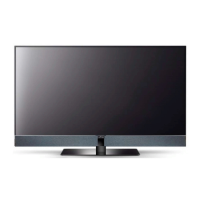
Need help?
Do you have a question about the Metz Cosmo Series and is the answer not in the manual?
Covers intended environment, placement, viewing distance, and cable requirements.
Details crucial warnings for safe operation, handling, and electrical precautions.
Explains power connection and the initial setup wizard.
Explains the functions and operation of the TV's remote control.
Guides setting up reception types and performing channel scans.
Selecting the appropriate signal source for TV and radio reception.
Procedures for finding channels via automatic scans or manual input.
Configuring antenna, LNB, and satellite selection for SAT reception.
Setting up advanced satellite systems.
Adjusting LNB voltage and choosing satellites.
Organizing and managing the list of available TV channels.
Creating and customizing personalized channel lists.
How to select channels and view broadcast details.
Quick adjustments for picture, volume, and sound.
Detailed customization of image quality.
Global adjustments for brightness, contrast, sharpness, and color.
Selecting energy modes and picture profiles.
Improving picture clarity.
Detailed customization of audio parameters.
Adjusting TV volume, headphone output, and speaker settings.
Fine-tuning audio frequencies and selecting sound modes.
Customizing sound for individual channels.
Accessing teletext information and tuning into radio broadcasts.
Setting initial program position and quick start options.
Setting channel and content restrictions.
Connecting and configuring external audio/video devices.
Using the TV guide for program information and scheduling.
Utilizing the Media Player, HbbTV, and network features.
Playing videos, photos, and music.
Connecting the TV to a wired or wireless network.
Recording TV programs to external drives and managing USB devices.
Controlling live TV playback.
Recording, managing, and playing back content from the PVR.
Managing recorded programs.
Updating the TV's firmware.
Installing access modules and setting feature ranges.
Definitions of technical terms and specifications.
Identifying and resolving common TV issues.
Environmental guidelines and cleaning instructions.
 General
| Category | LED TV |
|---|---|
| Series | Cosmo Series |
| Display Technology | LED |
| Built-in Wi-Fi | Yes |
| Resolution | 4K UHD (3840 x 2160) |
| Refresh Rate | 60 Hz |
| Smart TV | Yes |
| USB Ports | 2 |
| Sound Output | 20W (2 x 10W) |
| Dimensions (W x H x D) | Varies by model |
| Weight | Varies by model |

 To Next Page