Transferring Patterns to the MFB-301 Pro
To transfer a single pattern to your MFB-301 Pro’s RAM, carry out the following steps:
Make sure, the MFB-301 Pro has successfully been connected to the computer via
USB and has been detected by HTerm.
Ideally, delete the current pattern by pressing Rec and Play on the MFB-301 Pro. This
way, you will be able to hear the difference after the transfer.
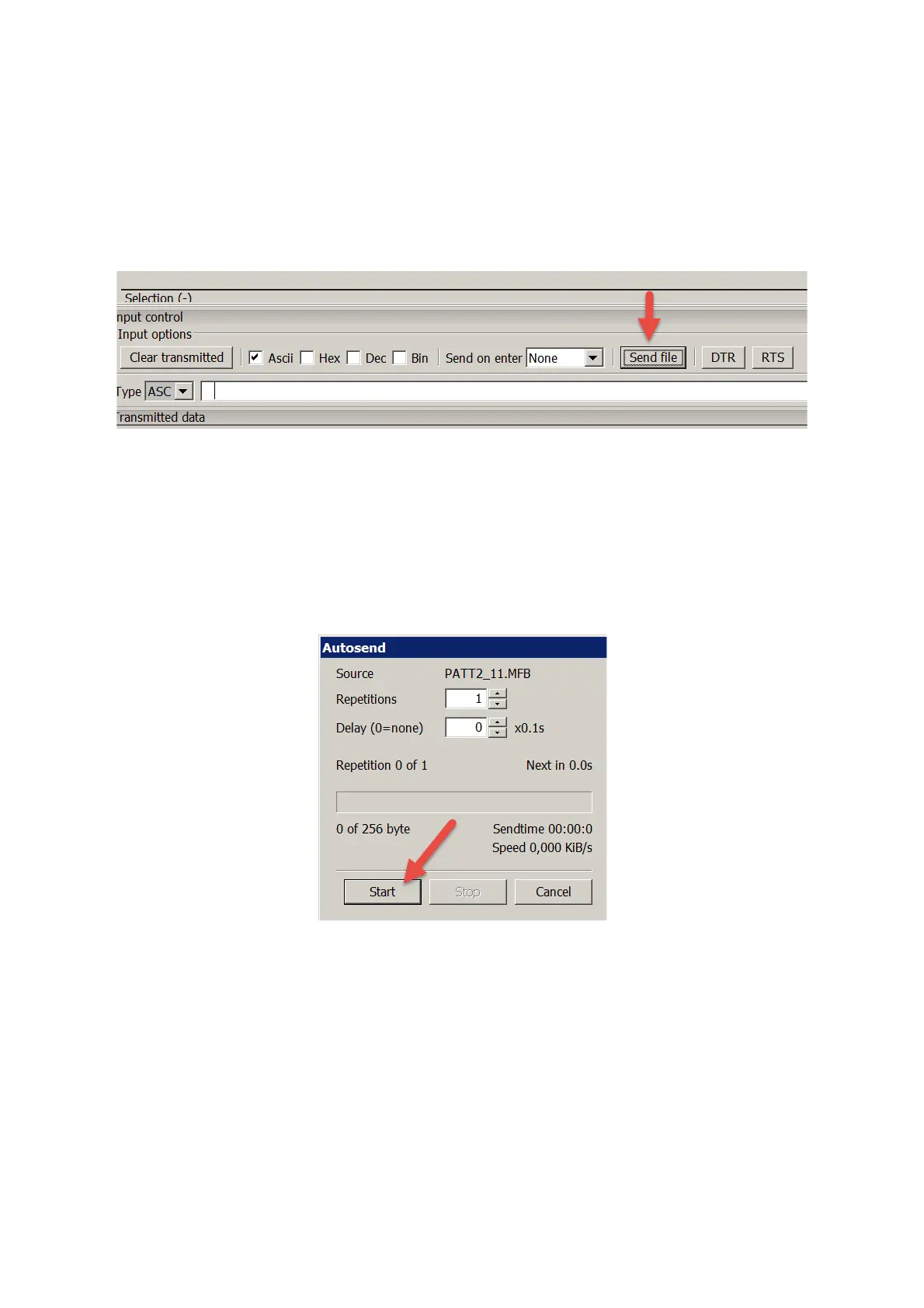
Click Send File in HTerm.
Locate the desired pattern file on your computer, e.g. PATT2_11.MFB.
Click Open in HTerm.
Press Bank 1 on the MFB-301 Pro.
Release the button.
Press Rec.
Release the button.
Press Play.
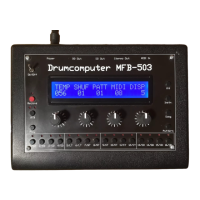
You now have approx. 30 seconds to initiate the transfer in HTerm by pressing Start.
Now, save the pattern in your MFB-301 Pro.
Hint: Only the data of a single pattern are being transferred.
4


 To Next Page