MFJ-432 Voice Memory Keyer
5
Accessory Circuits
Many circuits can be added to the accessory port to implement different functions. Each
message line is available on this port along with +5 Vdc. The message line must be
asserted high, to 5 Vdc, in order to play a message.
Implementing a Remote:
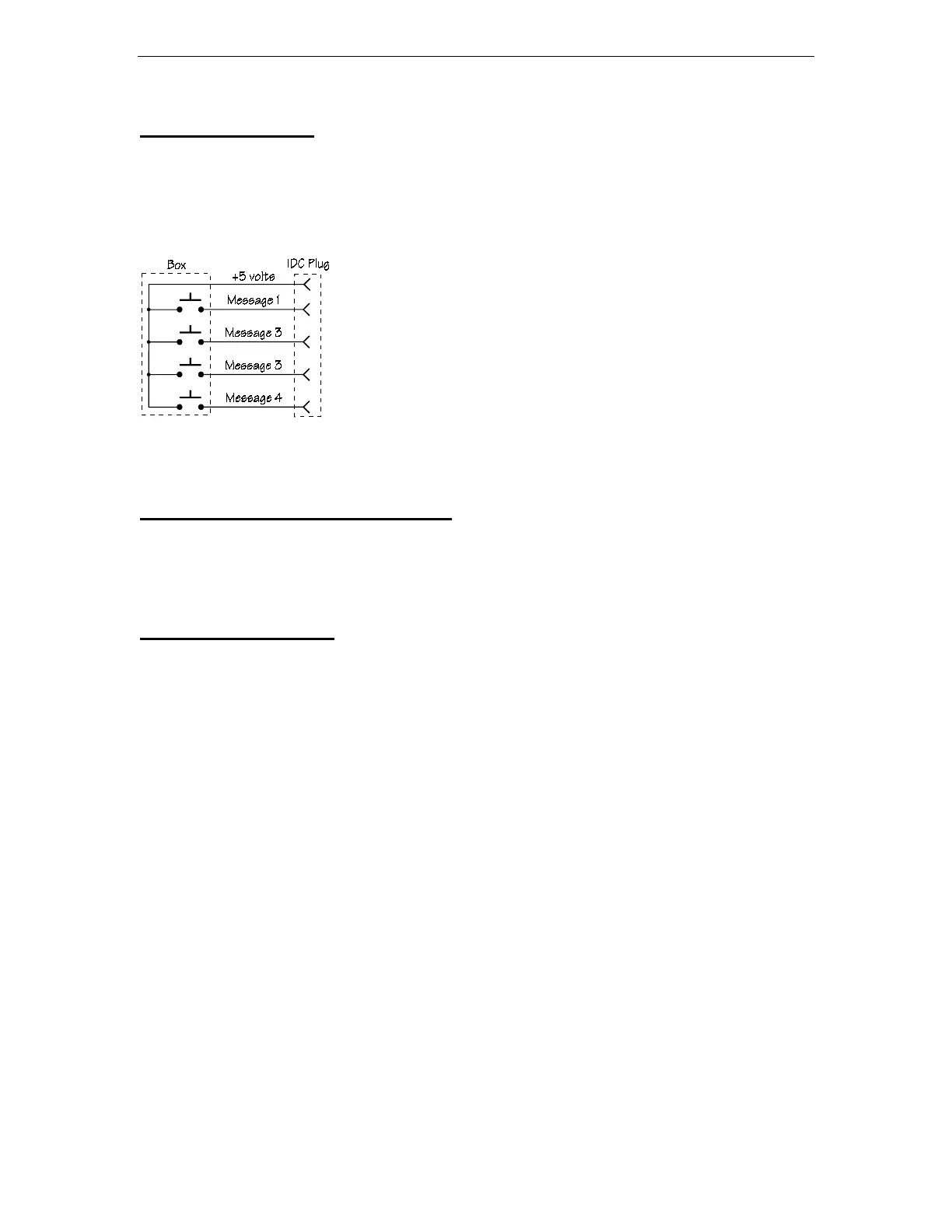
One of the simplest circuits to implement for the Voice keyer
is a remote. A remote requires 4 momentary contact SPST
switches, a length of 5 conductor cable, a 5 pin IDC connector
and a small box to hold the switches.
Battery Installation and Removal
This unit can be used with a 9 volt battery for mobile operation. Remove the cover to
begin battery installation. Slide the plastic battery clip insulator down on the wire and
install the battery. Press the battery into the battery holder and replace the cover.
Technical Assistance
If you have any problem with this unit first check the appropriate section of this manual.
If the manual does not reference your problem or your problem is not solved by reading
the manual, you may call MFJ Technical Service at
601-323-0549
or the MFJ Factory at
601-323-5869
. You will be best helped if you have your unit, manual and all information
on your station handy so you can answer any questions the technicians may ask.
You can also send questions by mail to MFJ Enterprises, INC., 300 Industrial Park Road,
Starkville, MS 39759; by FAX to 601-323-6551; through Compuserve at 76206,1763; or
by email to 76206.1763@Compuserve.com. Send a complete description of your
problem, an explanation of exactly how you are using your unit, and a complete
description of your station.


 To Next Page