Page 16
Product Function
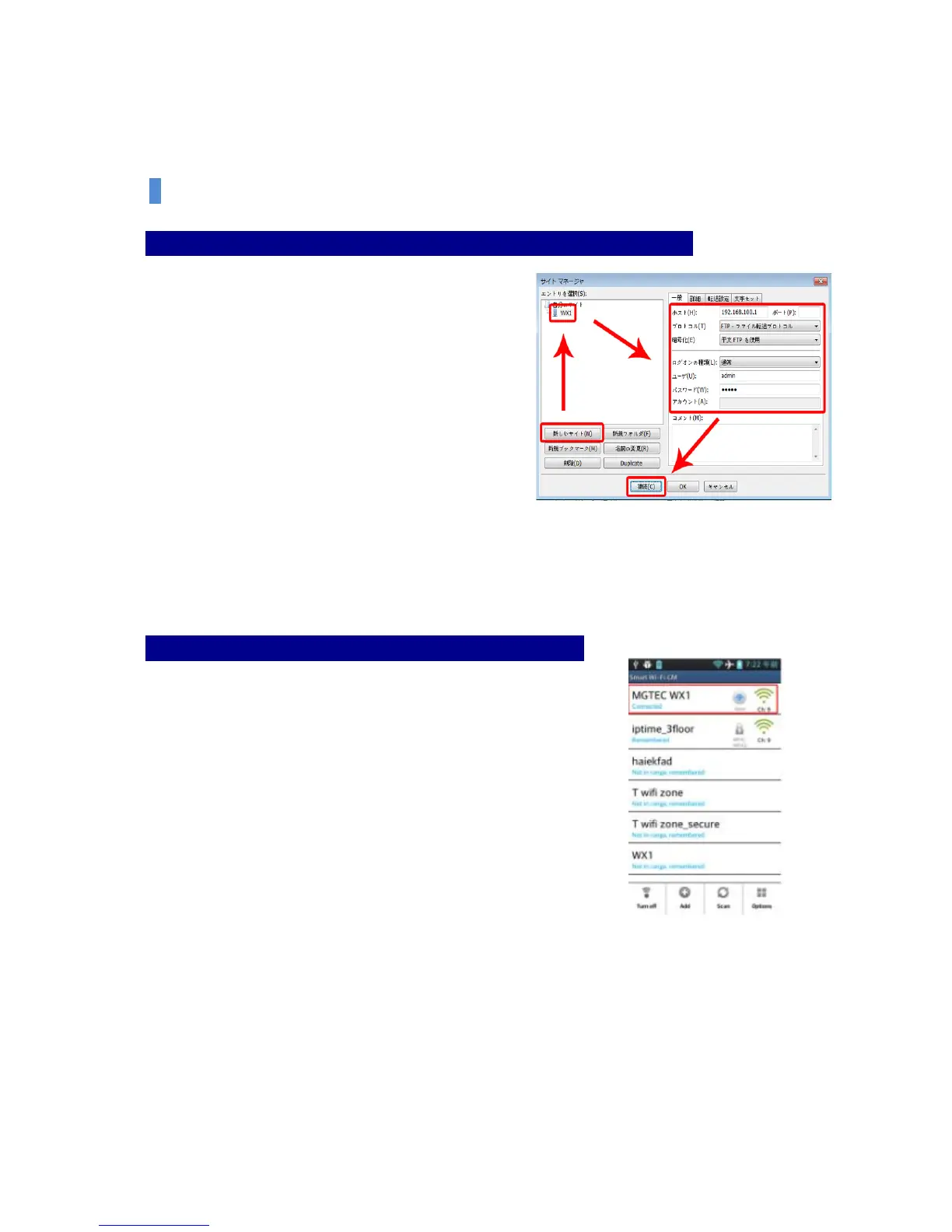
Step 5: Please enter the site connection information as below and click “Connect”.
(Host; 192.168.100.1, User; admin, Password; admin)
[Reference] If there is a breakdown of file or letters of
the folder, please select Force Setup to UTF-8 at the
Site Manager-Letter Setup.
Wireless Storage Device Function [Used for Smartphone or iPhone]
Connection through Android Web Browser
Step 1: System Preferences– Wi-Fi Setup of Wireless and Network
At System Preferences –Wi-Fi Setup of Wireless and Network, turn on
Wi-Fi and select MGTEC WX1 on Wi-Fi Network.


 To Next Page