Page 6
Product Function
Wireless Router Function
In order to use WX1 as a wireless router, please follow the below steps.
Step 1: Please connect the Ethernet cable (LAN cable) to the Ethernet port of WX1.
Step 2: Please set the power switch of WX1 to ‘ON’.
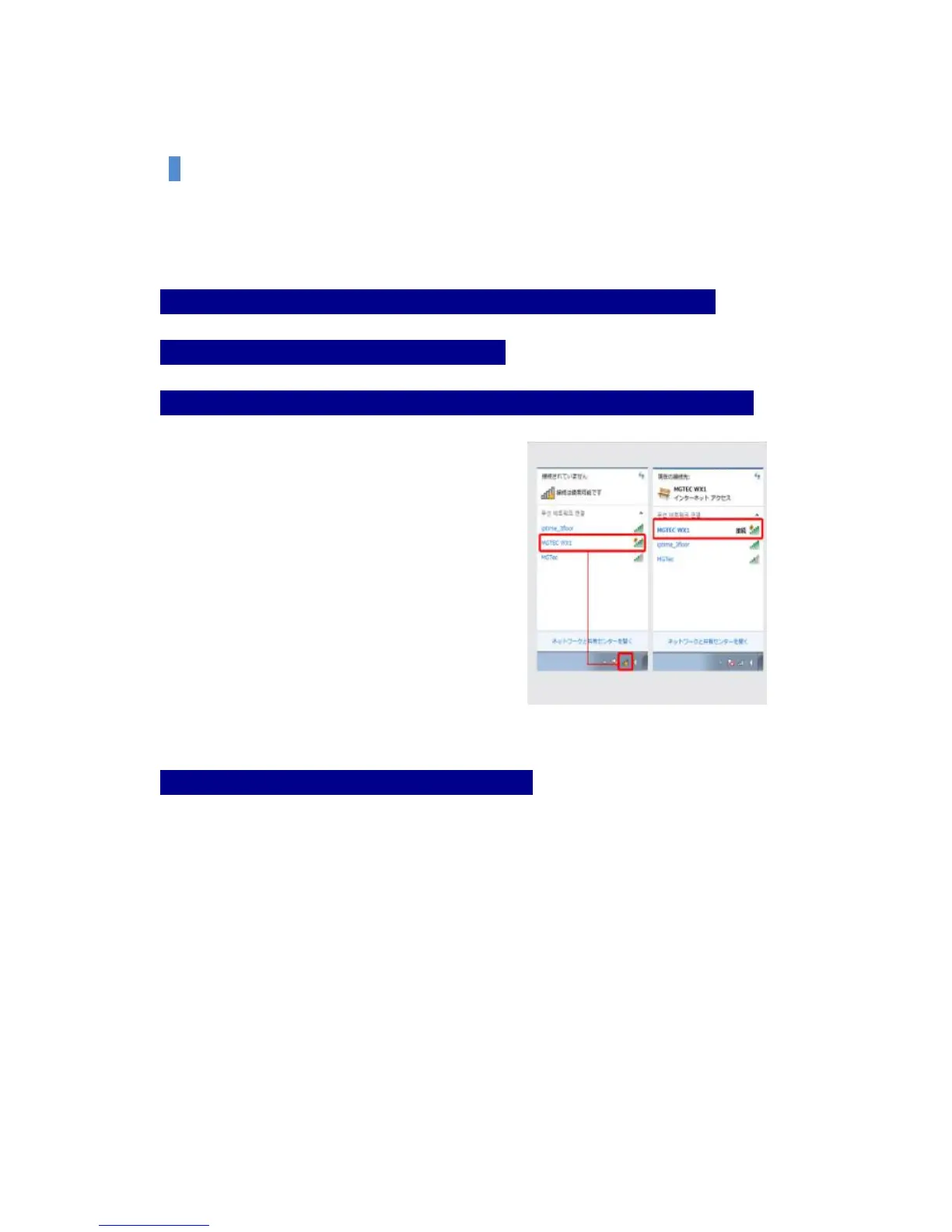
Step 3: Please click the wireless network connection icon at the bottom right of Window.
Please connect by selecting MGTEC WX1 on
Wireless network.
Please make sure that MGTEC WX1 has been
connected.
Step 4: The setting to use internet has been completed.
Now you can enjoy the internet freely on your PC, laptop, Smartphone, etc.


 To Next Page