Page 18
Product Function
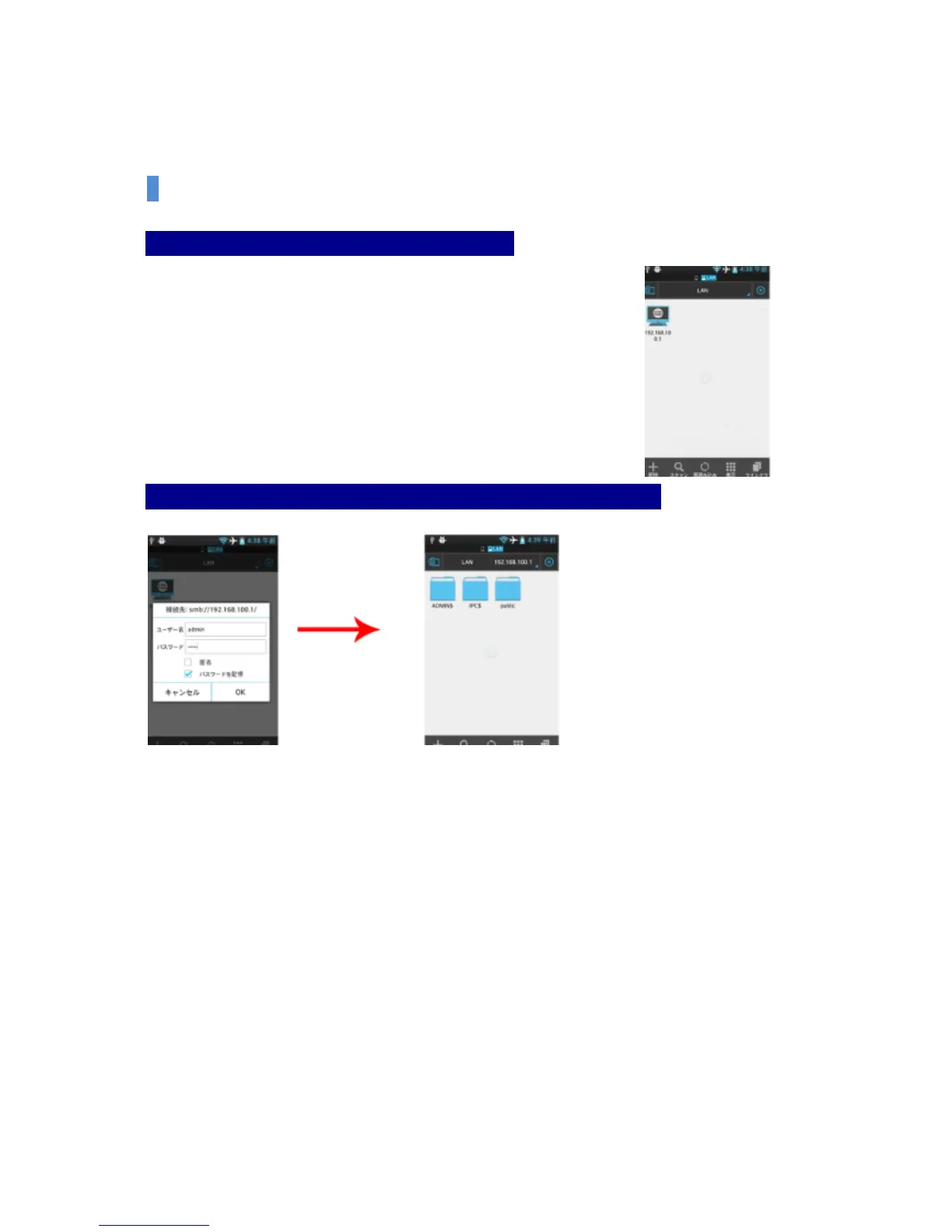
Step 3: Select the Scan Button at the bottom and scan.
When you select the Scan Button at the bottom and scan, the icon of
192.168.100.1 as below shall be formed. Please select this button.
Step 4: After you enter ID & Password and connect, then click PUBLIC Folder.
ID: admin
Password: admin
If you select PUBLIC, you can use the contents of the external storage device.


 To Next Page