EasyManua.ls Logo

MHealth AES-U181 - User Manual

MHealth AES-U181
14 pages
Print Icon
To Next Page IconTo Next Page
Loading...
User Manual
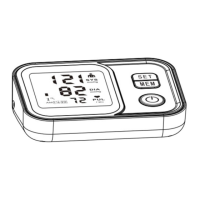
Blood Pressure Monitor
Model: AES-U181
Thank you very much for selecting our AES-U181 model Blood Pressure Monitor.
To use the monitor correctly and safely, please read the manual thoroughly before operating it.
Please store this manual for future reference.
Thank you for selecting arm type blood pressure Monitor (AES-U181).
The monitor features blood pressure measurement, pulse rate measurement and auto-save the result. The design
provides you with many years of reliable service.
Reading taken by the AES-U181 is equivalent to those obtained by a trained observer using the cuff and stethoscope
auscultation method.
This manual contains important safety and care information, and provides step by step instruction for using the product.
Read the manual thoroughly before using the product.

Questions and Answers

  • E
    Eric SheltonAug 3, 2025
    Why my MHealth Blood Pressure Monitor display is dim?
    • T
      Timothy ArnoldAug 3, 2025
      If your MHealth Blood Pressure Monitor displays a dim screen or fails to power on, it might be due to incorrectly inserted batteries. Ensure that the batteries are inserted correctly.
  • A
    Alexis TurnerAug 9, 2025
    What to do if MHealth Blood Pressure Monitor shows low battery?
    • D
      Douglas JordanAug 9, 2025
      If your MHealth Blood Pressure Monitor indicates low batteries, replace them with new ones.
  • M
    Michael SmithAug 15, 2025
    What to do if my MHealth Blood Pressure Monitor inflation fail?
    • J
      Jacqueline CruzAug 15, 2025
      If the MHealth Blood Pressure Monitor's inflation fails, relax for a moment and then measure again.
  • J
    Jay TerryAug 21, 2025
    What to do if heart beat signal is too weak on MHealth Blood Pressure Monitor?
    • A
      Andrea FloresAug 21, 2025
      If the heart beat signal is too weak or the cuff descend during the measurement with your MHealth Blood Pressure Monitor, refasten the cuff and then measure again.
  • M
    Melanie PriceAug 27, 2025
    How to fix measurement errors on MHealth Blood Pressure Monitor?
    • J
      jamiehughesAug 27, 2025
      If the measurement is not right on your MHealth Blood Pressure Monitor, relax for a moment and then measure again.

Summary

Safety Information

LCD Display Signal

Monitor Components

Replace the Batteries

Instructions for replacing batteries when the display shows 'Lo', dims, or does not light up.

Setting User, Date, Time, and Measurement Unit

Guide to setting user profiles, date, time, and measurement units for accurate record-keeping.

Tie the Cuff

Start the Measurement

Recall Records

Delete Memory

Maintenance

Trouble Shooting

Specification

MHealth AES-U181 Specifications

General IconGeneral
BrandMHealth
ModelAES-U181
CategoryBlood Pressure Monitor
LanguageEnglish