This version is for private use only and should not be distributed.
4
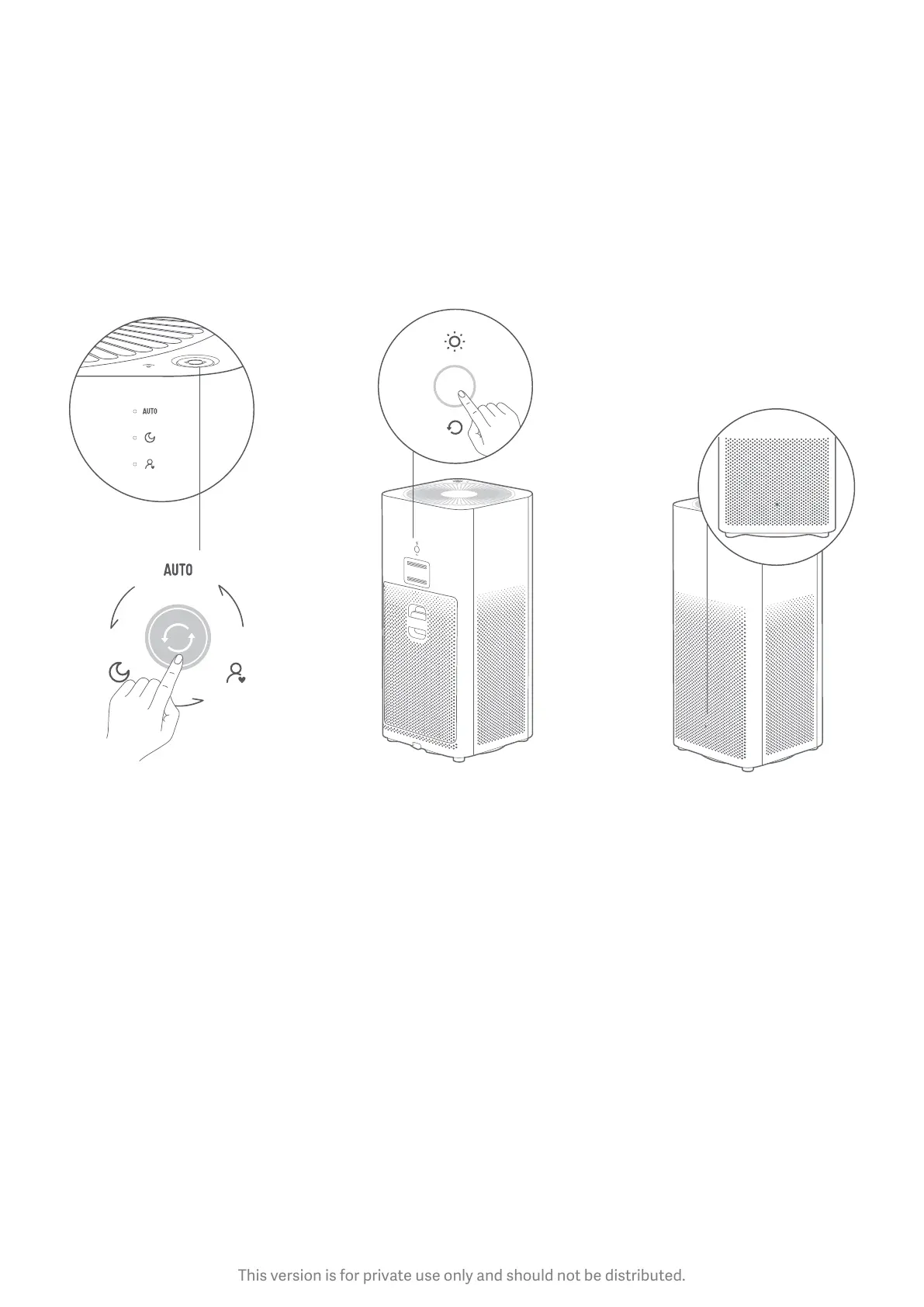
Power/Mode Buon: Light Buon: Air Quality Indicator:
Press the power/mode buon
to turn on the purifier, and to
switch modes. Press and hold
for two seconds to turn off the
purifier.
Press the light/filter reset
buon on the back of the
purifier to adjust the light
brightness. Brightness status
are: strong, so and off.
A green, orange or red light
indicates the current air
quality.



 To Next Page