This version is for private use only and should not be distributed.
6
When the filter is saturated by harmful
gases, it may give off odors. Please place
the filter in a sunny and ventilated place
to eliminate odors.
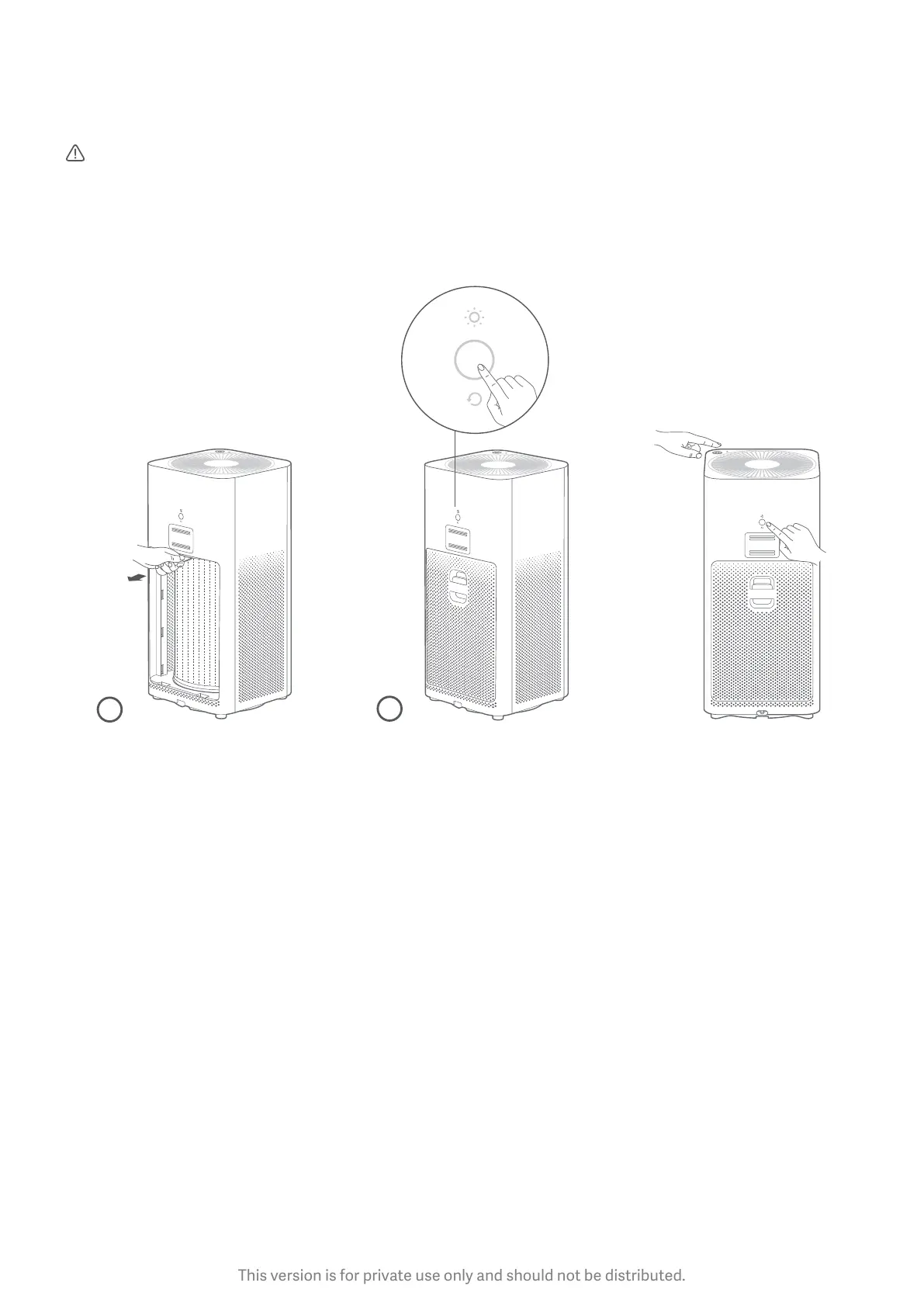
Filter Replacement: Reseing the Wi-Fi:
1. Please refer to the
Filter Replacement label
on the inside of the filter
compartment panel for
detailed instructions.
2. Aer replacing the filter,
turn on the purifier, and
press and hold the filter
reset buon for 6 seconds.
A beeping sound indicates
that the filter has been
successfully replaced, and
the filter service time has
been reset.
If your phone is unable
to connect to the air
purifier, simultaneously
press and hold the mode
and the light buon for
5 seconds. A beeping
sound indicates that Wi-
Fi has been successfully
reset.
2
1



 To Next Page