Mi Wi-Fi Router 3C
Setup Guide Using Mi WiFi App
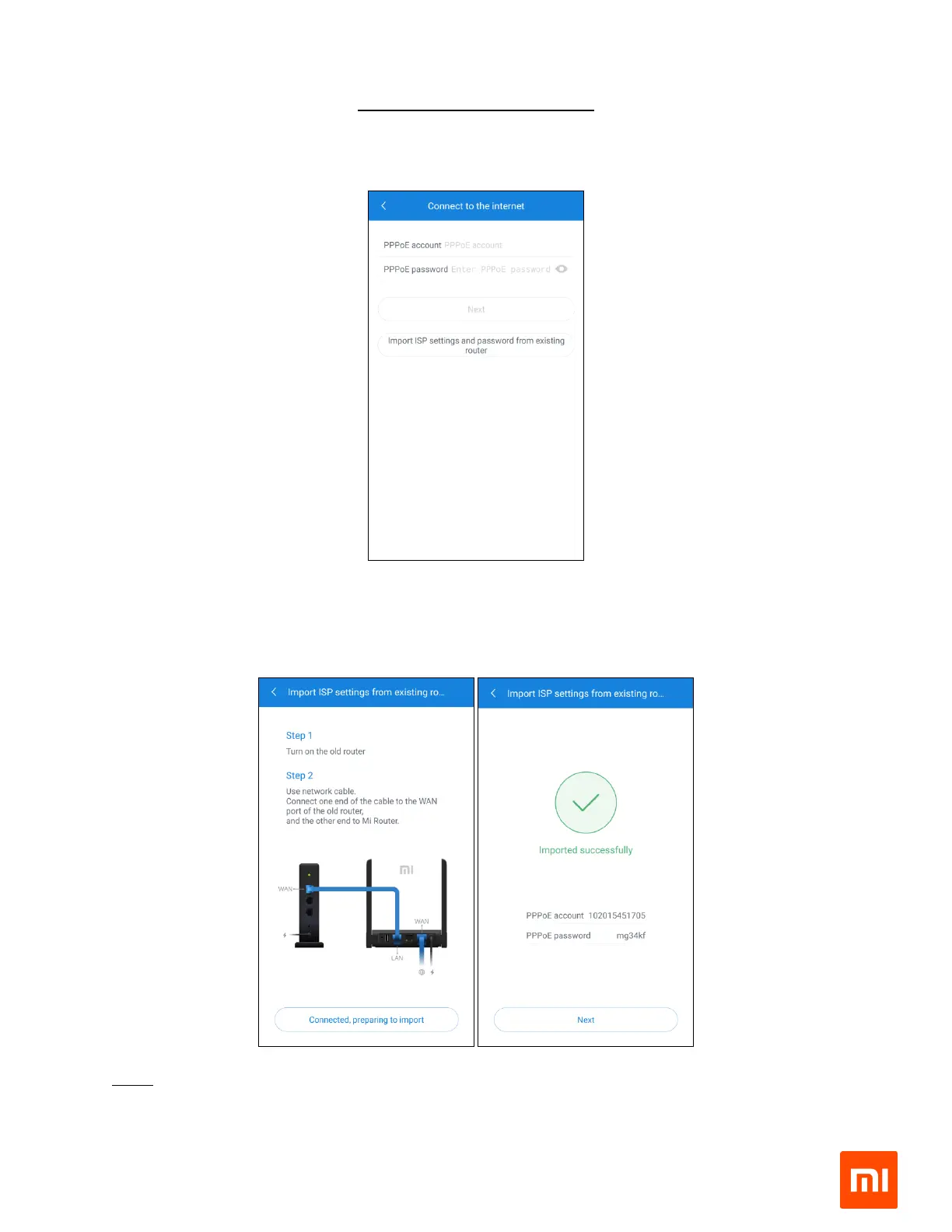
5. Entering your ISP provided credentials
a. If you remember your ISP provided username and password, please enter the required
details and tap on ‘next’
b. Else, you can also import the settings from your previous router. Follow the steps
described in the image below and click on ‘Import from existing router’.
Note: In case your connection type is DHCP, you don’t have to enter the ISP
username/password or import the configuration.


 To Next Page