31
Data Clean Method
Data Clean method
1. Turn off TV
2. Active data interface by remoter
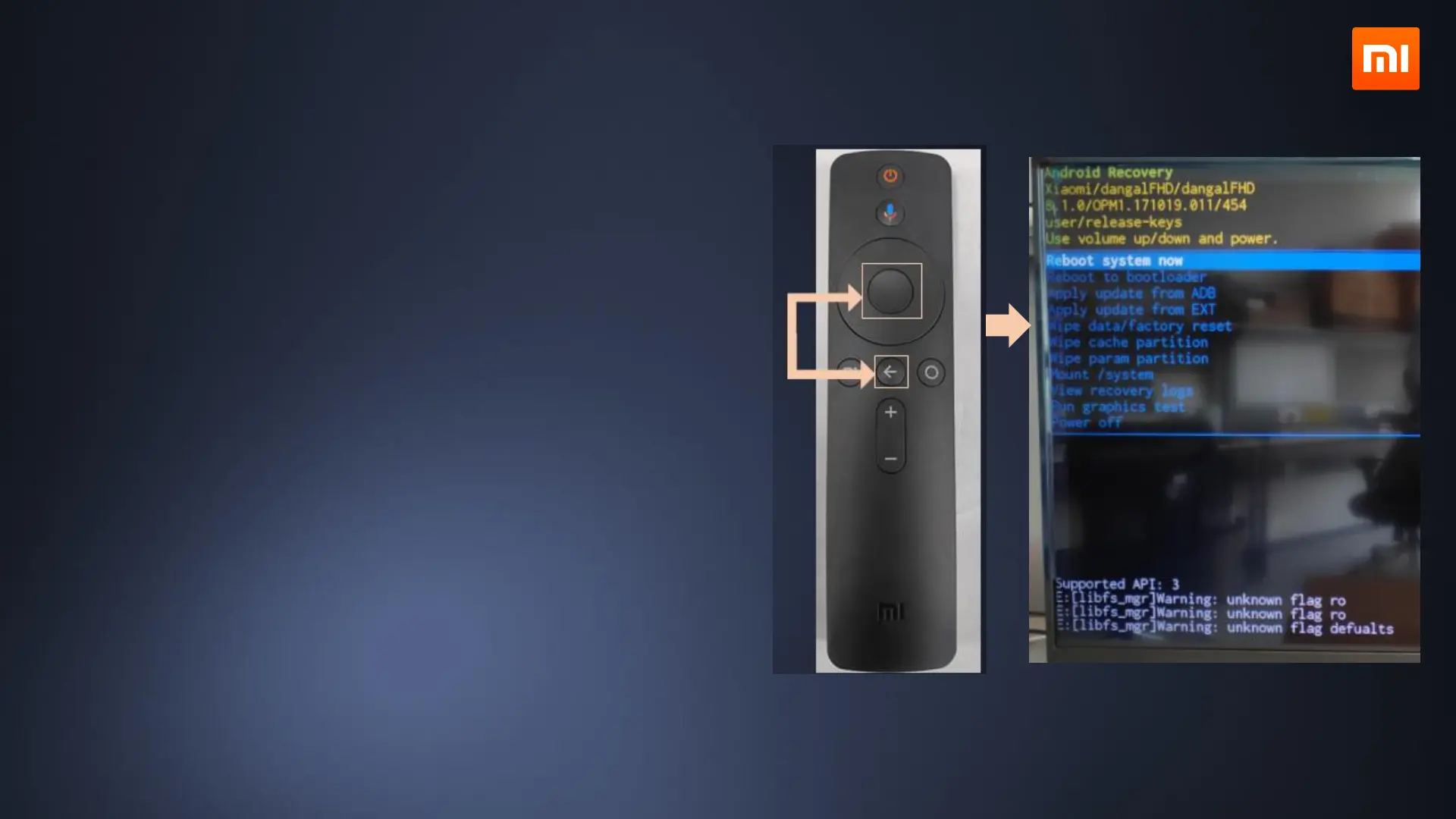
Bluetooth Remote:
For Bluetooth remoter pull up MiTV power cable for 3
second then reconnect it.
Hold[Select]and [Back] simultaneously and face it to
white LED on the bottom when it starts to flash. Wait for
Android recovery screen to come out.
Reset System
Select these items in sequence(WIPE DATA/FACTORY
RESET, WIPE CACHE PARTITION),
then select REBOOT SYSTEM NOW and reboot TV.


 To Next Page