Need help?
Do you have a question about the Mi Electric Scooter Pro and is the answer not in the manual?
Provides instructions for unfolding the stem, installing the handlebar, and securing it with screws.
Instructions on how to connect the charger, charge the scooter, and secure the charging port cover.
Step-by-step guide on starting, accelerating, braking, and turning the electric scooter safely.
Important safety tips to prevent injuries, including speed limits, obstacle avoidance, and proper posture.
Lists prohibited actions like riding in traffic, sharp turns at speed, and carrying passengers.
Covers riding responsibilities, pedestrian interaction, legal compliance, and pre-ride checks.
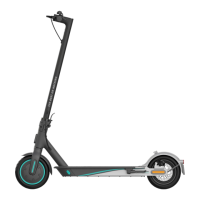
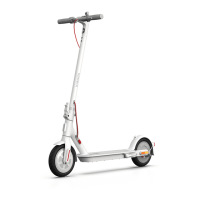
The Mi Electric Scooter Pro is a sports and recreational vehicle designed for personal transportation. It comes with an assembled electric scooter and various accessories, including a T-shape Allen key, extension nozzle, screws, and a charging adapter. The package also includes a user manual, legal statement, warranty notice, maintenance card, and quick start guide.
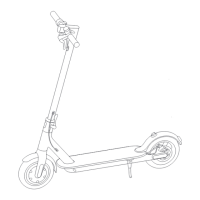
The scooter features a handlebar with a headlight and brake lever, a stem, an accelerator, and a control panel with a power button. It also includes a scooter bell lever and bell for signaling. The folding mechanism allows for easy storage and portability. Other components include a front fork, wheel motor, charging port, quick release lever, buckle, mudguard, brake light, disc brake, kickstand, and battery compartment.
The control panel and power button provide essential information and control. The speedometer displays the current speed and error codes. There are three riding modes: "ECO" for Energy Saving (top speed approx. 15 km/h, smooth throttle, suitable for beginners), "D" for Standard (top speed approx. 20 km/h), and "S" for Sport (top speed approx. 25 km/h, powerful, recommended for skilled riders). A Bluetooth icon indicates successful connection to a mobile device, and a wrench icon signals an error. The battery level is shown by five bars, each representing 20% of a full battery. The power button turns the scooter on/off, controls the headlight, and switches between modes with a double press.
To assemble the scooter, first fold the handlebar stem up, fasten it, and put down the kickstand. Then, install the handlebar onto the stem and tighten the screws on both sides with the T-shaped Allen key. After assembly, press the power button to ensure it's working correctly.
Charging the scooter involves lifting the rubber flap, plugging the charging adapter into the port, and replacing the flap once charging is complete.
For quick setup, users need to install the Mi Home app by scanning a QR code or downloading it from an app store. Once installed, open the app, tap "+" to add the device, and follow the prompts.
Before riding, it is recommended to wear a helmet and knee pads for safety. To ride, turn on the scooter and check the power indicator. Step on the deck with one foot and slowly kick off with the other. Once the scooter starts to coast (at least 5 km/h), place both feet on the deck and press the accelerator. To brake, release the accelerator to engage the kinetic energy recovery system (KERS) for slow braking, or squeeze the brake lever for a sudden stop. To turn, tilt your body in the desired direction and slowly turn the handlebar.
Safety is paramount. Avoid riding in the rain, and maintain a speed of 5-10 km/h over speed bumps, elevator door sills, bumpy roads, or uneven surfaces, bending knees slightly to absorb impact. Be cautious of overhead obstacles like door frames and elevators. Do not accelerate downhill; brake in time and step off to push the scooter up steep inclines. Do not press the accelerator while walking alongside the scooter, and always steer clear of obstacles. Avoid hanging heavy items on the handlebar or riding on one foot. Dangerous actions such as riding in traffic lanes, abruptly changing steering direction at high speed, keeping feet on the rear mudguard, touching the disc brake, riding through water deeper than 2 cm, riding with others (especially children), letting go of the handlebar, or attempting to ride up/down stairs or jump over obstacles are strictly prohibited.
The scooter is a leisure device, but when in public areas, it is considered a vehicle subject to local traffic laws. Risks cannot be entirely avoided, so users should ride cautiously, maintain a safe distance from others, and avoid speeding, especially in unfamiliar areas. Respect pedestrians' right of way, signal with the bell, and slow down when passing. When crossing pedestrians, keep to the right at a low speed or dismount. Users are responsible for ensuring anyone borrowing the scooter knows how to operate it and wears safety gear. Before each use, check for loose parts, low battery alerts, flat tires, excessive wear, strange sounds, or malfunctions, and stop riding immediately if any issues are detected.
Folding and carrying the scooter requires turning it off. Hold the handlebar stem, turn it counterclockwise to open the safety hook, and open the quick release lever. To open, disengage the bell lever from the buckle on the mudguard, fold the handlebar stem up, close the quick release lever, and turn the handlebar stem clockwise to close the safety hook. For carrying, hold the handlebar stem with one or both hands.
For cleaning, wipe the scooter's body with a damp cloth. For stubborn stains, use toothpaste and a toothbrush, then wipe clean. For scratches on plastic parts, use sandpaper or abrasive materials. Avoid using alcohol, gasoline, kerosene, or other corrosive solvents, and do not use high-pressure water sprays. Ensure the scooter is off, the charging cable unplugged, and the rubber flap closed during cleaning to prevent electric shock or water damage. Store the scooter indoors in a dry, cool place when not in use to prevent excessive sunlight, overheating, or overcooling, which can accelerate tire aging and compromise battery lifespan.
Regularly check tire pressure (every 2-3 months), maintaining 50 psi. Incorrect tire pressure can reduce tire life and safety.
For battery maintenance, only use original battery packs and charging adapters to avoid safety risks. Do not disassemble, squeeze, or puncture the product, touch battery contacts, or poke the outer casing. Do not expose the product to water, fire, or temperatures above 50°C. Avoid metal objects touching battery contacts to prevent short circuits, injury, or death. If water enters the battery, stop using it immediately and return it for inspection, as it can cause damage, fire, or explosion. Fully charge the battery after every use to extend its lifespan. Avoid placing the battery in environments above 50°C or below -20°C. If the scooter is idle for more than 30 days, fully charge the battery and store it in a dry, cool place, recharging every 60 days to prevent damage. Always charge before the battery is exhausted. Battery performance is optimal at normal temperatures and degrades below 0°C. Damage from prolonged no-charge periods is irreversible and not covered by warranty. Non-professionals should not dismantle the battery pack.
To adjust the disc brake, if it's too tight, use a 4 mm Allen key to loosen the screw on the caliper, slightly decrease the exposed length of the brake line, and then tighten the screw. If the brake is too loose, loosen the screw, slightly increase the exposed length of the brake line, and then tighten the screw.
For tire valve stem maintenance, unscrew the valve cap, connect the extension nozzle to the tire valve stem, and then connect a pump to inflate the tire.
If the handlebar stem becomes unstable due to loose screws from long-term use, follow these steps:
 General
| Motor Power | 300W |
|---|---|
| Max Motor Power | 600W |
| Battery Capacity (mAh) | 12800 mAh |
| Max. Charging Voltage | 42V |
| Tire Size | 8.5 inches |
| IP Rating | IP54 |
| Top Speed | 25 km/h |
| Range | 45 km |
| Weight | 14.2 kg |
| Max Load | 100 kg |
| Brakes | Disc Brake + E-ABS |
| Tires | Pneumatic |
| Display | LED |
| Charging Time | 8-9 hours |
| Braking System | Dual braking system |

 To Next Page