How to Use
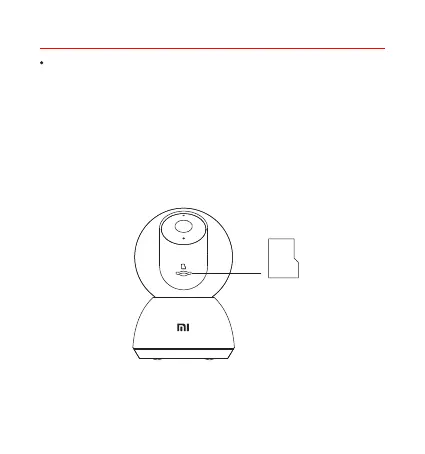
Make sure the camera is turned off. Push the lens upward to reveal the
MicroSD card slot. Insert the microSD card into the card slot with its
contact points facing downward.
Note: Disconnect the camera from the power before installing or removing
a MicroSD card. Please use a genuine MicroSD card (up to 32 GB)
manufactured by a qualified supplier. It is recommended to use a card with
a reading/writing speed of no less than U1/Class 10.
Installing a MicroSD card
MicroSD


 To Next Page