English
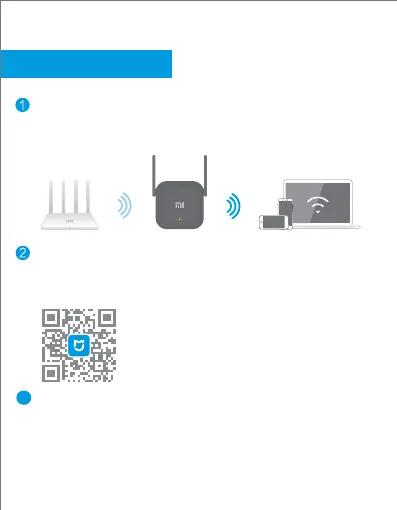
Place the range extender in a location where you require a
stronger signal. Connect it to the power supply and wait for
the yellow indicator to start flashing.
Scan the QR code to download the Mi Home App/Xiaomi
Home App and follow the in-app instructions to configure
the seings and manage the device.
The blue indicator will stay constant when the seings have
been configured. You can then move the range extender to
another location without reconfiguring the seings.
3
Installation
4


 To Next Page