User Guide 3 2/22/2012
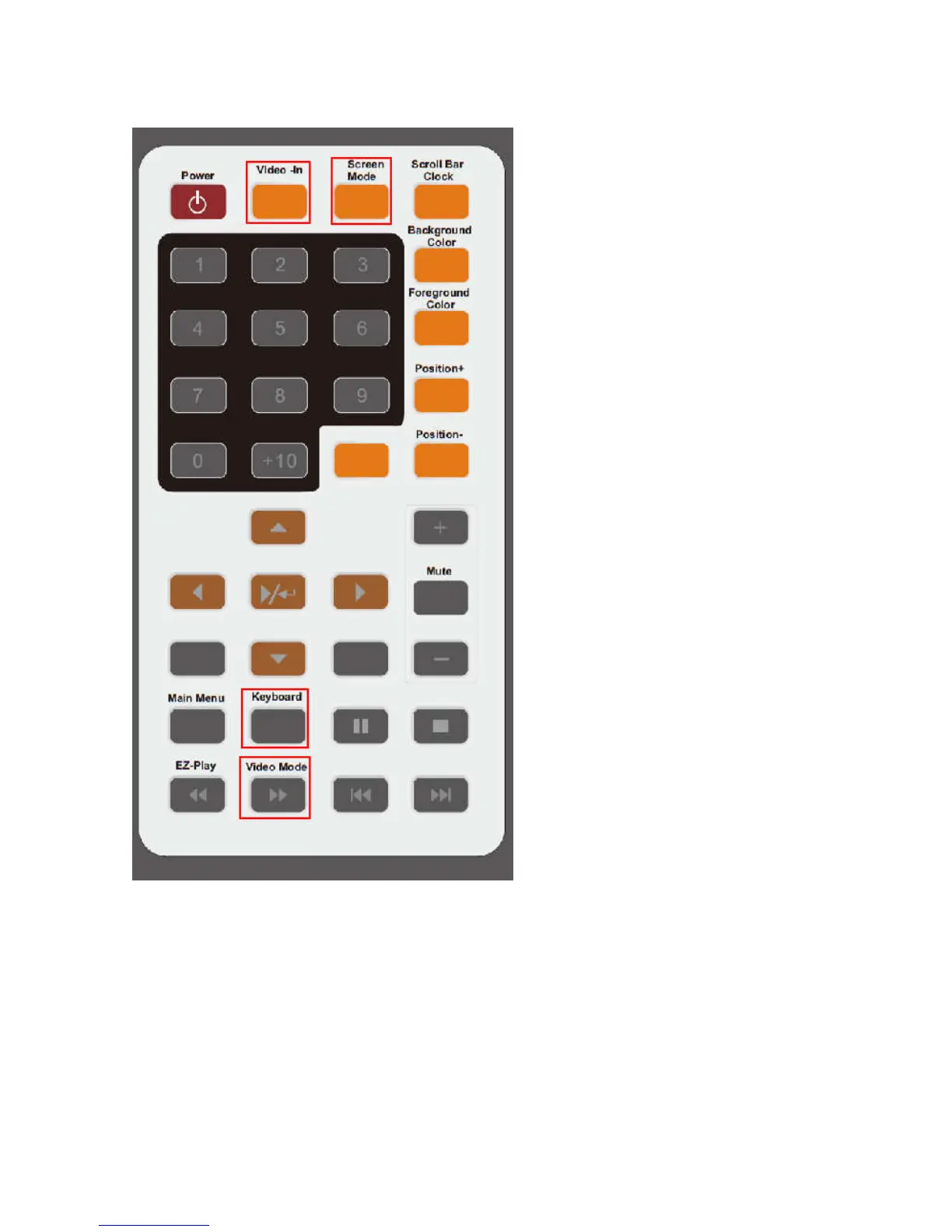
Remote control: special keys
1. Video-In key: Switch either
Video-Input source or CF/USB media file
source on multi-zone screen or full screen
2. Screen Mode key:
Switch entire screen either multi-zone or full
screen
3. Keyboard key:
When Video-In source is used, press it will
pop up color setting menu to adjust
brightness, hue, contrast. Press again to exit.
4. Video Mode key:
Switch either HDMI 1080p (default) or
HDMI 720p.
Also switch eitherVGA or YPbPr.
Note: If no screen after powers up, try to
press this key to switch to right output.



 To Next Page