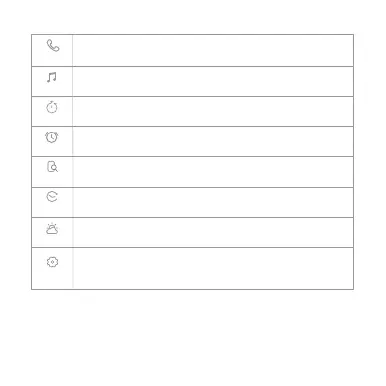
The watch is connected to the mobile phone, you can control the music
playing of the mobile phone, and you can also play music through the watch
Music
After connecting the mobile phone, you can synchronize the weather in
the App.
Weather
Start the stopwatch function.
Stopwatch
Watch quick timer.
Timer
Watch alarm clock setting function.
Alarm
Search
your phone
After connecting the phone, you can find the phone through the watch.
Screen display setting, system menu switching, vibration mode, do not disturb mode,
connecting mobile phone, language setting, power saving mode, factory recovery,
restart, shutdown and other settings.
Setting
The watch is connected to the mobile phone,
you can answer and make
calls on the watch.
Phone


 To Next Page