5
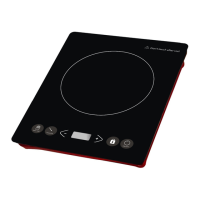
TIMER/PRESET (DELAYED START)
To set the cooker to come on at a later start time.
Press the ON/OFF button once. ON will be displayed.
Press the TIMER/PRESET button once. 0.00 will be displayed.
Press the ± button to increase / decrease the cooking START time.
Press the ± buttons to increase or decrease the cooking power level
The display will show the start time and power levels.
After the selected time the appliance will commence cooking.
TIMER/PRESET (END TIME PROGRAM)
To set the cooker to turn off after a selected time.
Press the ON/OFF button once.
Press ON/OFF twice to commence.
Select the desired power level using the ± buttons
Press the TIMER/PRESET button once
Select the desired cooking length and end time using ± the buttons.
Cooking will commence and at the end of the selected time cooing will stop.
Note. At any point the appliance may be switched off by pressing the ON/OFF button
Note. The cooling fan operates for approximately 1 minute once cooking has ended.
LOCK
For children’s safety the cooking settings can be LOCKED.
Press the ON/OFF Button once.
Press the ON/OFF button twice to commence cooking.
Press the desired settings.
Press and hold the LOCK button until LOCK feature is shown.
The settings will be locked as selected.
Note. The cooking can be turned OFF by pressing the ON/OFF button at any time
ELEC/VOLT
Press to display the electrical consumption used.


 To Next Page