soniclear | 11
5. Starting: Press the ON/OFF Button to turn on
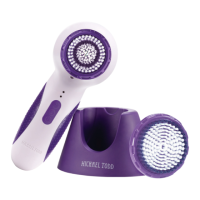
6. Selecting Speeds: soniclear provides a choice of 6 sonic cleansing speeds:
3 facial brush speeds and 3 body brush speeds, to address your specic skin
type and concerns. The Handle recognizes which Brush Head (face or body)
is attached and automatically adjusts the speed choices based on the Brush
Head used. Tip: Should the Handle on occasion fail to “recognize” the Brush
Head and change speed, shut the unit off and turn it back on which should
correct the problem
To change speeds, press the Speed Button while your soniclear is on. Speed
is indicated visually by the two red Speed Indicator lights on the Handle above
the Power and Speed Buttons.
Speed
FACE
Top speed
5th speed
4th speed
BODY
3rd speed
2nd speed
Low speed
Light
Both red lights on
Top red light on
Bottom red light on
Both red lights blinking
Top red light blinking
Bottom red light blinking


 To Next Page