EasyManua.ls Logo

Michael Todd Clear Bilight - User Manual

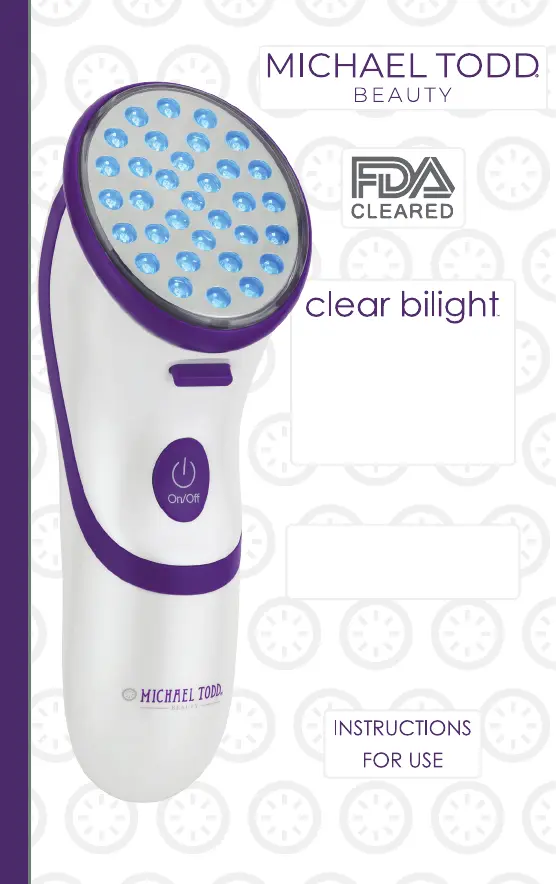
Michael Todd Clear Bilight
28 pages
Print Icon
To Next Page IconTo Next Page
Loading...
Clearing & Calming
Eliminate Blemishes and Prevent
Future Breakouts
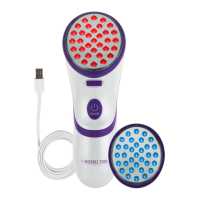
RED+BLUE
LED ACNE
CLEARING SYSTEM
Treats Mild to Moderate
Inflammatory Acne

Questions and Answers

  • J
    Julie BennettAug 4, 2025
    What to do if the light indicator is off when charging Michael Todd Personal Care Products Clear Bilight?
    • R
      rebecca06Aug 4, 2025
      If the light indicator is off when the Clear Bilight is plugged into the USB cord and a power source, it could mean one of the following: * The battery is fully charged and ready for use. Unplug the Clear Bilight from the USB cord and press the ON/OFF button. * The Clear Bilight may not be securely connected to the USB cord, ensure that it is. * The AC outlet may not be working. Connect another appliance to the outlet to verify it is "live."
  • B
    Brad TurnerAug 9, 2025
    Why does my Michael Todd Personal Care Products device (Clear Bilight) power turn off on its own?
    • H
      hunterlawrenceAug 10, 2025
      If the Clear Bilight power on your Michael Todd Personal Care Products device turns off after 5 minutes of no use (while in Standby mode), this indicates the device is functioning correctly. Press the ON/OFF button to reactivate the power and put the device back into Standby mode. If the device turns off before 5 minutes, ensure the battery is charged. If the battery doesn't require charging, allow the device to cool down for 5 to 10 minutes before attempting to turn it back on.
  • B
    Brian YoungAug 15, 2025
    What to do if indicator light is green but treatment lights are not illuminated on Michael Todd Clear Bilight Personal Care Products?
    • K
      Kimberly Reyes MDAug 15, 2025
      If the indicator light is green on your Michael Todd Personal Care Products device, but the treatment lights are not illuminated, make sure the Treatment Head face is in contact with your skin.
  • T
    tracibuckleyAug 21, 2025
    How to fix a Michael Todd Personal Care Products Clear Bilight that does not work?
    • P
      Pedro PageAug 21, 2025
      If your Michael Todd Personal Care Products Clear Bilight does not work, please check the following: 1. Ensure you have pressed the ON/OFF button. 2. Ensure the Treatment Head is securely connected to the handpiece. 3. Charge the battery.
  • O
    opachecoAug 27, 2025
    What to do if Michael Todd Personal Care Products Clear Bilight lights turn on when not in contact with skin?
    • L
      Laura ForbesAug 28, 2025
      DO NOT look directly into the lights. Press the ON/OFF button immediately to turn the device off and contact Customer Service.

Summary

Instructions for Use

Before You Start

How the Clear Bilight Works

Explains the synergistic action of blue and red light therapy and expected results timeline.

Important Safety Information

Contraindications

Lists situations and conditions where the device should not be used, including suspicious lesions.

Warnings

Provides critical warnings, such as not using on eyes, moles, warts, or open sores.

Precautions

Potential Side Effects

How to Change Treatment Heads

Charging the Battery

Controls

Pre-Test Before Using

Treatment Steps

Eye Safety Warning & Blue Light Treatment

Combines eye safety guidelines with the initial blue light treatment procedure for acne.

Red Light Treatment & Warning

Troubleshooting

Clear Bilight Does Not Work

Troubleshooting steps for when the device fails to power on or operate correctly.

Troubleshooting - Continued

Device Power Turns Off on Its Own

Troubleshooting for when the device automatically powers off, including standby mode and battery checks.

Device Lights Turn Off After 5 Minutes

Solutions for when the treatment lights turn off prematurely during use.

Lights Turn On Without Skin Contact

Guidance on what to do if the device lights activate when the treatment head is not touching the skin.

Limited Warranty

Michael Todd Clear Bilight Specifications

General IconGeneral
Blue Light Wavelength415 nm
Red Light Wavelength630 nm
Treatment AreaFace
Power SourceRechargeable Battery
TechnologyBlue and Red Light Therapy
Light ModesBlue Light, Red Light
Treatment Time3 minutes per treatment area
Included AccessoriesCharging Cable
UsageUse on clean, dry skin. Move the device slowly over the treatment area for 3 minutes. Can be used daily.

Related product manuals