18 | Clear Bilight
PROBLEM
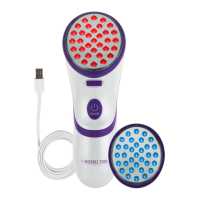
Clear Bilight power turns off
on its own
Clear Bilight light turns off on
its own after 5 minutes
Clear Bilight lights turn on
when Treatment Head is not
in contact with skin
DO NOT look directly into
lights. Press ON/OFF button
immediately to turn device
off and contact Customer
Service.
• Device is working properly
if the power turns off after
5 minutes of no use (in
Standby mode). Press
the ON/OFF button to
reactivate power and put
Device in Standby mode.
• If the device turns off
before 5 minutes, make
sure the battery is charged.
If the battery does not
need charging, wait 5 to
10 minutes for the device
to cool and try turning the
device back on.
• Device is working properly
if the lights go off after 10
minutes of use (in contact
with skin). Press Treatment
Head to another location
on your skin to re- activate
lights.
• If the lights turn off before
10 minutes, make sure the
Treatment Head face is in
contact with skin (pressing
gently).
TRY THIS SOLUTIONS


 To Next Page