The electric scooter is not approved for
general use on public roads. Please note
that each country has specic regulations
and restrictions for electric vehicles in road
trac (especially in terms of maximum speed,
performance and authorised roads). Please
inform yourself about the applicable guidelines
for your country in person and in detail.
NOTE
Setting of the riding programs
You can change between the individual riding programs with the following action:
1. Turn on the scooter by holding the power button for three seconds.
2. Press the power button one to four times in succession to change the program
(1 = Pedestrian mode, 2 = Eco mode, 3 = Standards mode, 4 = Sport mode)
To see the program activated, ride the scooter.
24
Display interface and functions
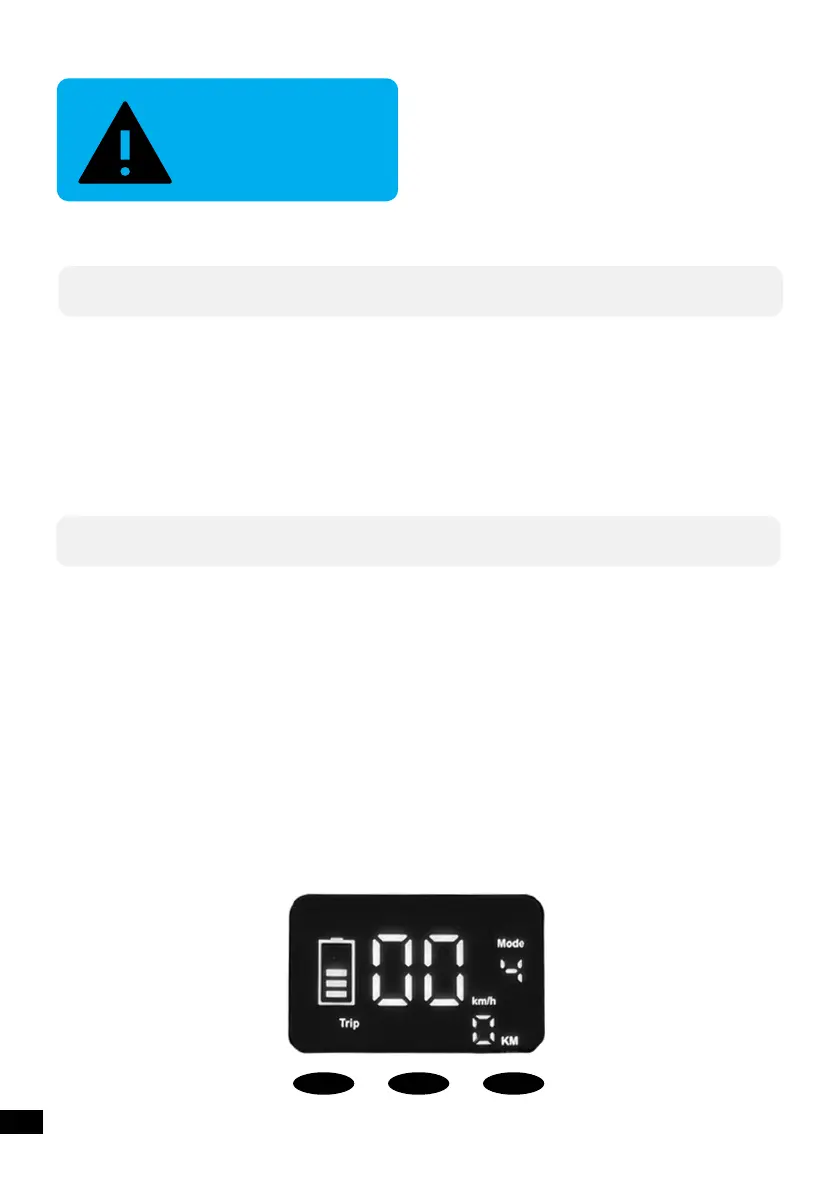
The following illustration shows the dierent positions on the display.
● On the top right corner you can nd the riding program.
● The large numbers in the center show the current speed.
● The battery icon on the le, displays the current state of charge of your battery.
● The bottom area displays the current trip distance (TRIP) or the total mileage (ODO)
respectively.
- In order to switch between TRIP and ODO, press the ‘M’ button shortly.
- In order to set the TRIP distance to zero, press the ‘M’ button for ve seconds.
EN
Light
M’ On/O


 To Next Page