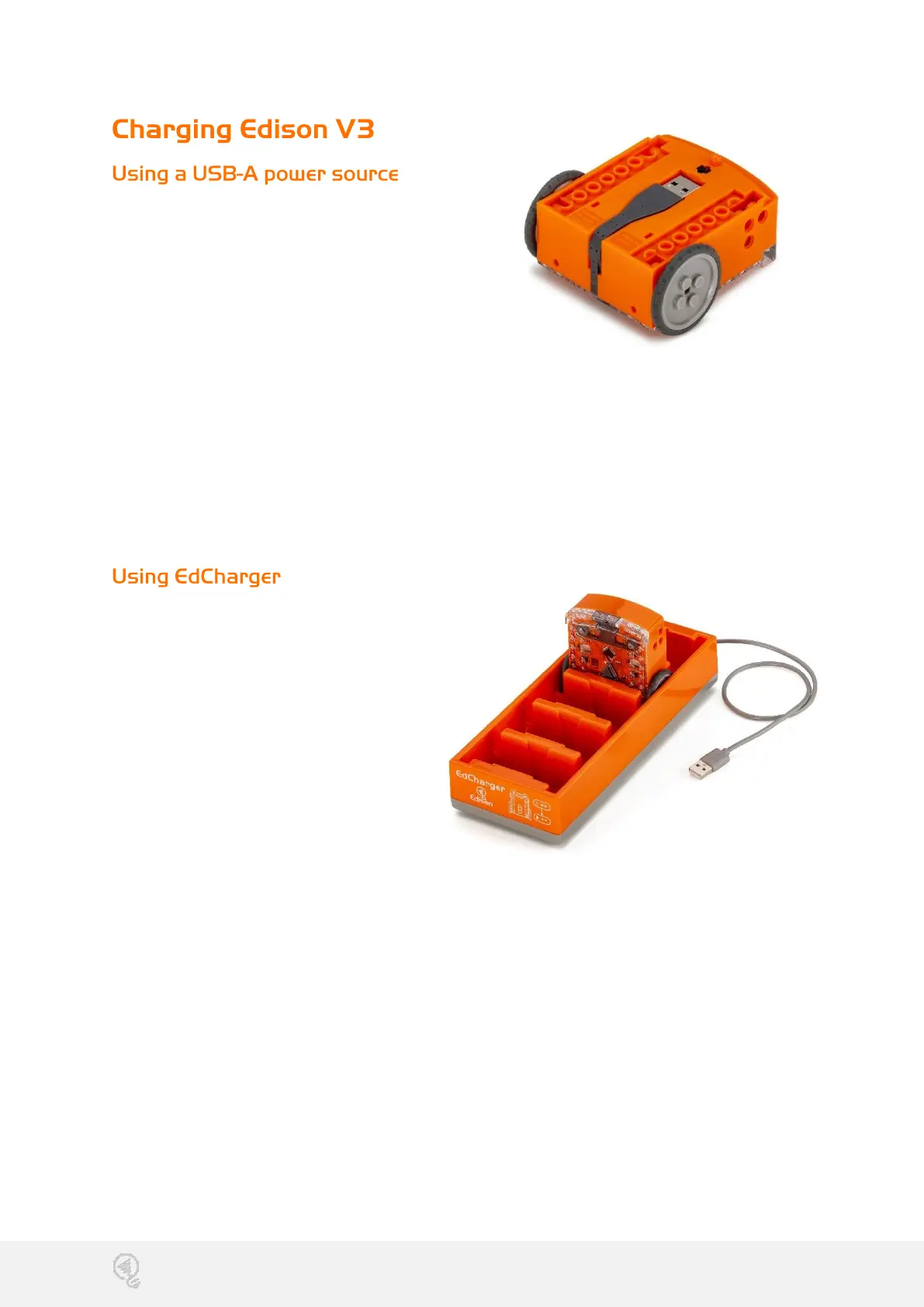
To power up Edison V3, you can use a
USB-A power source like a computer's
USB-A port, a USB-A wall adapter, or a
USB-A power bank.
Once you have selected your power
source, connect Edison's USB cable to
the USB-A port on that source.
During charging, both LED lights on Edison V3 will flash simultaneously. When
Edison is fully charged, the lights will stop flashing and remain on steadily.
It takes approximately 4 to 5 hours to charge Edison's battery to full capacity.
Once charging is finished, unplug Edison's USB cable from the device or power
source. Neatly fold the USB cable and tuck it into the USB cable compartment.
To use EdCharger:
1. Connect the EdCharger's
USB cable to a USB-A power
source, such as a computer's
USB-A port, a USB wall
adapter (minimum 1 amp/5
watts), or a power bank.
2. Position Edison V3 inside the
charger, ensuring the clear
top faces the EdCharger
markings on its front.
3. While charging, both LED lights on Edison V3 will flash simultaneously. Once the
battery is fully charged, the lights will cease flashing and remain lit.
4. Additionally, the EdCharger can serve as a storage unit for your Edison robots. It
automatically oversees the charging process, ensuring Edison V3 is always
prepared for action.


 To Next Page
 Loading...