SETTING CLOCK
OPERATING INSTRUCTIONS
When the oven is first plugged
in, the display will flash “0:00”
and a tone will sound. If the AC
power ever goes off, the display
will flash “0:00” when the power
comes back on.
To set the clock under the
above circumstances, simply
enter the correct time of day
and then touch the Clock pad.
NOTE:
If the oven is used before the
present time is set, the display
will show “0” after the cooking is
completed and the door is
opened. To reset present time
in the display window when the
oven is off, touch the Clock
pad. The colon starts blinking.
Enter the correct present time
by following the procedures.
An improper entry will cause the
display to show “Err” and the
oven will beep. Repeat steps 1
through 4 entering the correct
present time.
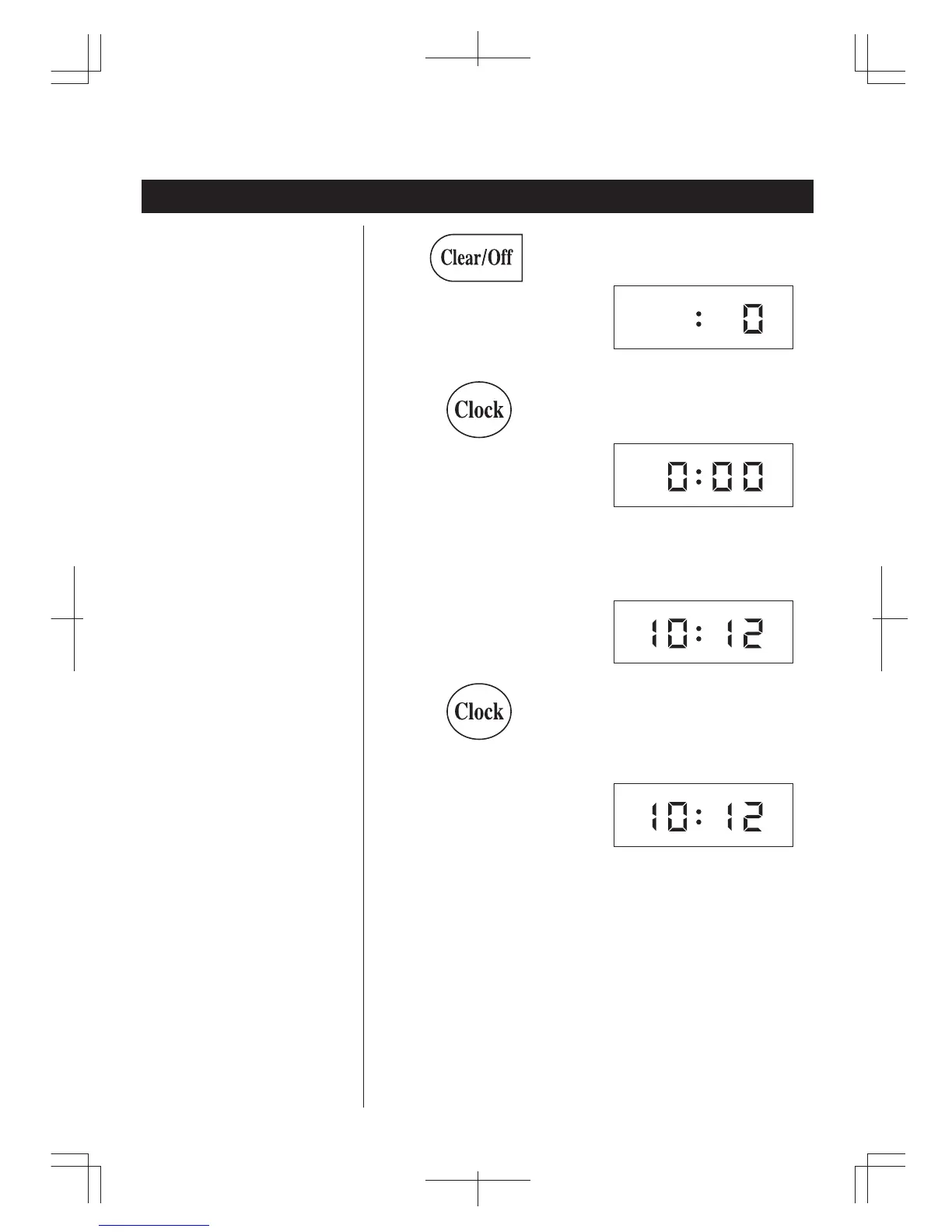
1. To uch the Clear/Off pad.
2. To uch the Clock pad.
3. Enter the correct time of day.
EXAMPLE: To set the time to
“10:12”, touch “1”, “0", “1” , “2” in
sequence.
4. To uch the Clock pad.
The display will show “0”.
The display will flash “0:00” and
a tone will sound.
The display will show the
numbers you pressed in the
order you pressed them.
The display will show the
present time and the colon will
stop blinking. The 12 hour digital
clock allows you to set it from
“1:00” to “12:59”.
9



 To Next Page