EasyManua.ls Logo

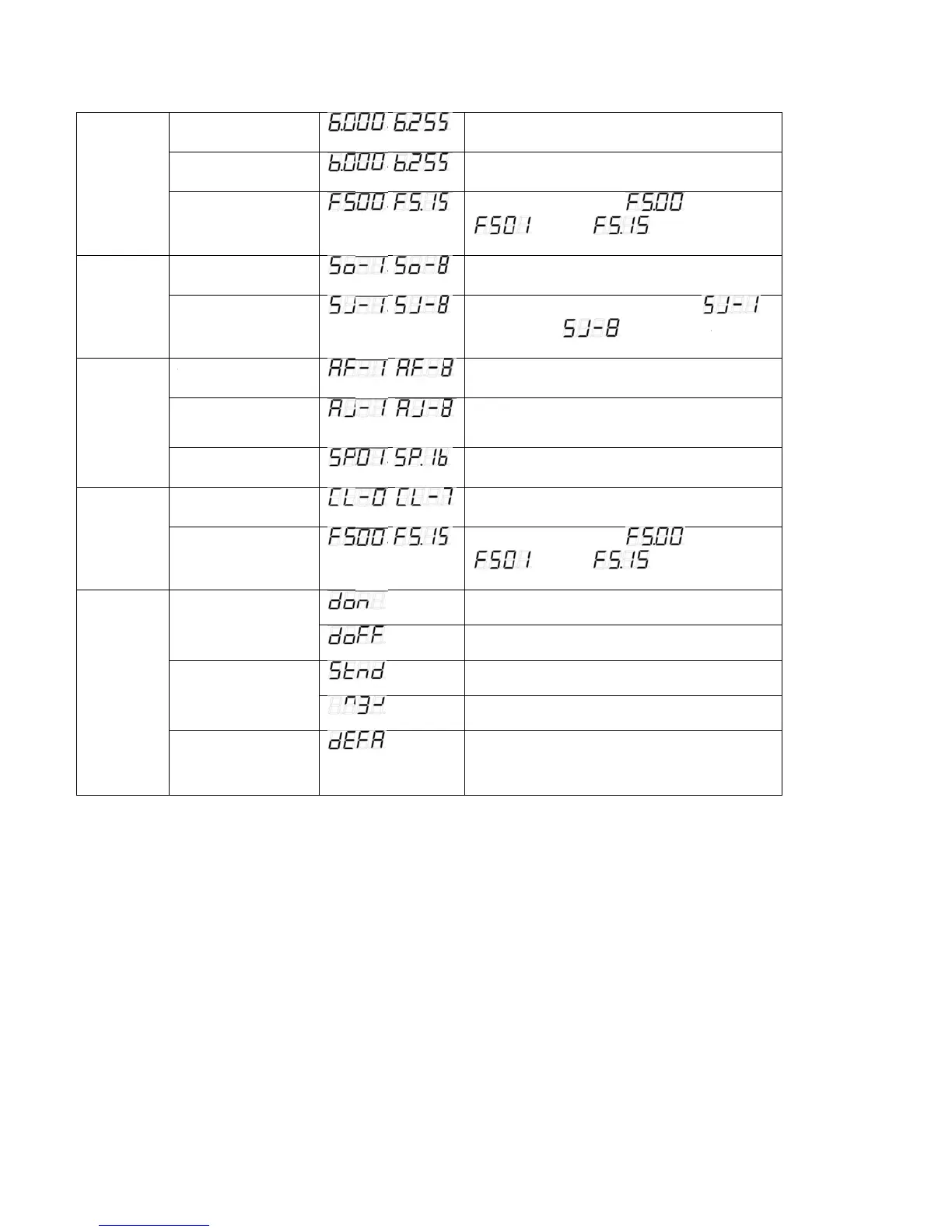
Microh LED Slim P7 - Flash & Strobe Control; Sound Active Modes; Auto Run Programs; Display Management

Default Icon
14 pages
Print Icon
To Next Page IconTo Next Page
To Previous Page IconTo Previous Page
Loading...
D
M
S
M
A
R
M
S
C
S
M
O
M
D
IMMER
M
ODE
S
OUND
M
ODE
A
UTO
R
UN
M
ODE
A
S
TATIC
C
OLOUR
S
ELECT
M
ODE
O
THER
M
ODE
Green dimmer
Blue dimme
r
Flash
Mode select
Sensitivity selec
t
A
UTO FADE m
o
COLOUR JUM
P
s
et
Speed set
Colour select
Flash
Display
o
n/off
Display
normal/inverse
Initialization
mode
t
o
de set
P
mode
~
~
~
~
~
~
~
~
~
~
Adjust the
i
Adjust the
i
Adjust th
e
Select the
b
Adjust the
the lowest
l
Select the
b
Select the
b
Adjust the
s
Select the
e
Adjust th
e
LED digital
LED digital
LED digital
LED digital
Initialize th
e
i
ntensity of the g
i
ntensity of the
b
e
flash speed
is slowest,
b
uilt-in sound m
o
sensitivity of th
e
level,
b
uilt-in FADING
b
uilt-in jumping
m
s
peed of the FA
D
e
ight static colo
u
e
flash speed
is slowest,
tube display al
w
tube display off
tube display no
r
tube display in
v
e
unit at the extr
a
g
reen colour
b
lue colour
, is
is fastest
o
de
e
sound-active,
is the highest le
v
mode
m
ode
D
E
/
jumping mo
d
u
rs
, is
is fastest
w
ays on
r
mal
v
ersion
a factory setting
flash off,
is
v
el
d
e
flash off,
7

Related product manuals