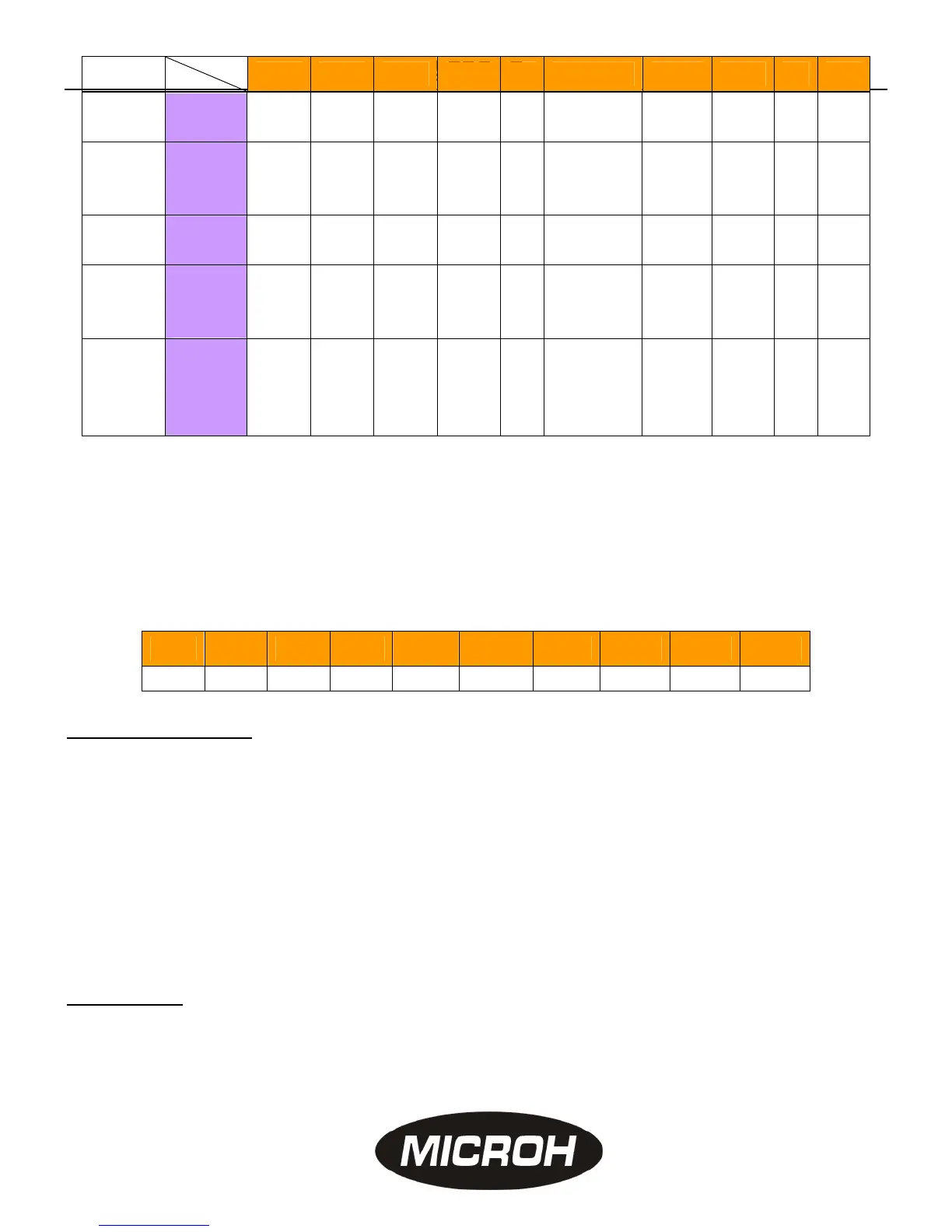
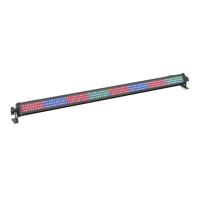
LEDBAR
4 strobe
Speed
1
Speed
2
Speed
3
Speed
4
●
Red:
off/on
Green:
off/on
Blue:
off/on
◎ ◎
5
fade in
and fade
out
Speed
1
Speed
2
Speed
3
Speed
4
◎ ● ◎ ◎ ◎ ◎
6 Auto.
Speed
1
Speed
2
Speed
3
Speed
4
◎ ◎ ● ◎ ◎ ◎
7
Sound
activated
strobe
◎ ◎ ◎ ◎ ◎ ◎ ◎ ◎ ● ◎
8
Sound
activated
color
change
● ◎ ◎ ◎ ◎ ◎ ◎ ◎ ● ◎
Remarks: Dip switch 1. 2. 3 “on” will run 7 colours, Dip switch 7, 8 “on” will adjust the music sensitivity via
potentiometer knob. Speed 1 means slowest, Speed 4 means fastest.
Master and slave (dip switch as below):
Master light: dip switch same as Stand Alone Mode, all slave lights: Dip Switch NO.1 and NO.10 ”ON”,
NO2-NO9 to “ OFF” status
DMX-512 Mode
Dip Switch“10” to “ ON” to receive DMX signal, 1-9 are selectable code, refer below:
● means “ on” status
№1 №2 №3 №4 №5 №6 №7 №8 №9 №10
1 2 4 8 16 32 64 128 256
●
Channel Assignment
Ch1: function selecting:
0-10 dimmer ( Ch2-Ch13 dimmer valid )
11-51 strobe (Ch2-Ch13 dimmer valid)
52-91 light in and light out (Ch2 -Ch13 no valid)
92-131 auto color change (Ch2-Ch13 no valid)
132-147 chase1, 148-164 chase2, 165-181 chase3,182-198 chase4, 199-215 chase5,
216-232 chase6, 233-255 chase1- chase6.
CH2: 0-255 all Red dimmer, CH3: 0-255 all Green dimmer, Ch4: 0-255 all Blue dimmer
Ch5-Ch13: 0-255 are the adjustable brightness from segment 1 to segment3 in red, green and
blue color,
Specification
1. Input power:AC100~240V/50-60Hz
2. Total power: 50W
3. 10mmLEDs: 252pcs (red / 108pcs, blue / 72pcs, green / 72pcs ) (Angle:30°)
4. Unit Size:107×6.5×8.5cm
5. Net/weight:2.3K
function
№1 №2 №3 №4 №5 №6 №7 №8 №9 №10


 To Previous Page